Maintaining a secure password is essential for protecting your WPX account. Follow these steps to update your password:
Step 1. Log in to your WPX account
Begin by logging into your WPX account. You can do this by visiting the WPX login page.
Step 2. Open the Account Details menu
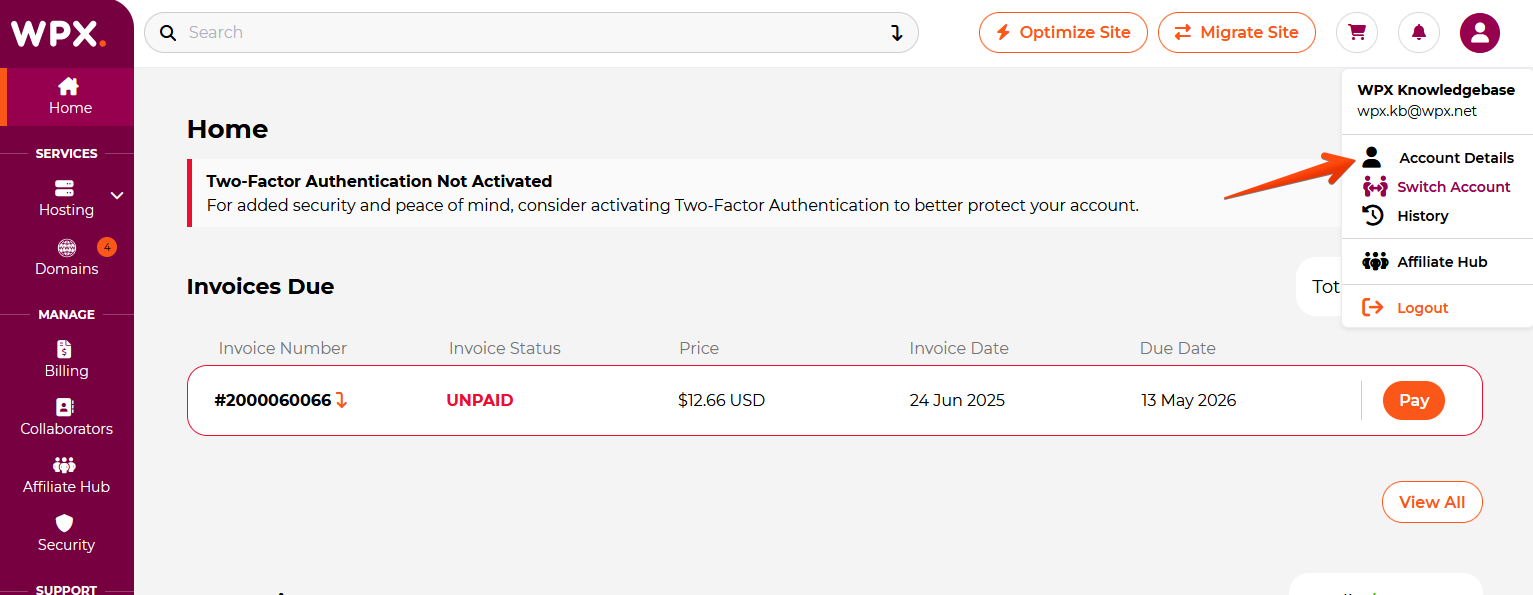
Click the profile icon in the top-right corner, then select Account Details from the dropdown menu.
Step 3. Change Password
Click on the Change Password tab, enter your Old Password, and then input your New Password. Ensure you save your new password, then click the Save Changes button.

Tips for a Strong Password:
- Use a combination of uppercase and lowercase letters, numbers, and special characters.
- Avoid easily guessable information, such as common words or personal details.
- Aim for a password length of at least 12 characters.
- Use the Password Generator for secure passwords.
Stuck at any point? Don’t worry, just click the live chat widget in the bottom-right, and one of our support agents will assist you in under 30 seconds.