This article is a step-by-step guide to help you enable/disable WPX XDN on your websites.
Step 1. Log in to your WPX account
Begin by logging into your WPX account. You can do this by visiting the WPX login page.
Step 2. Go to Control Panel
Once logged in:
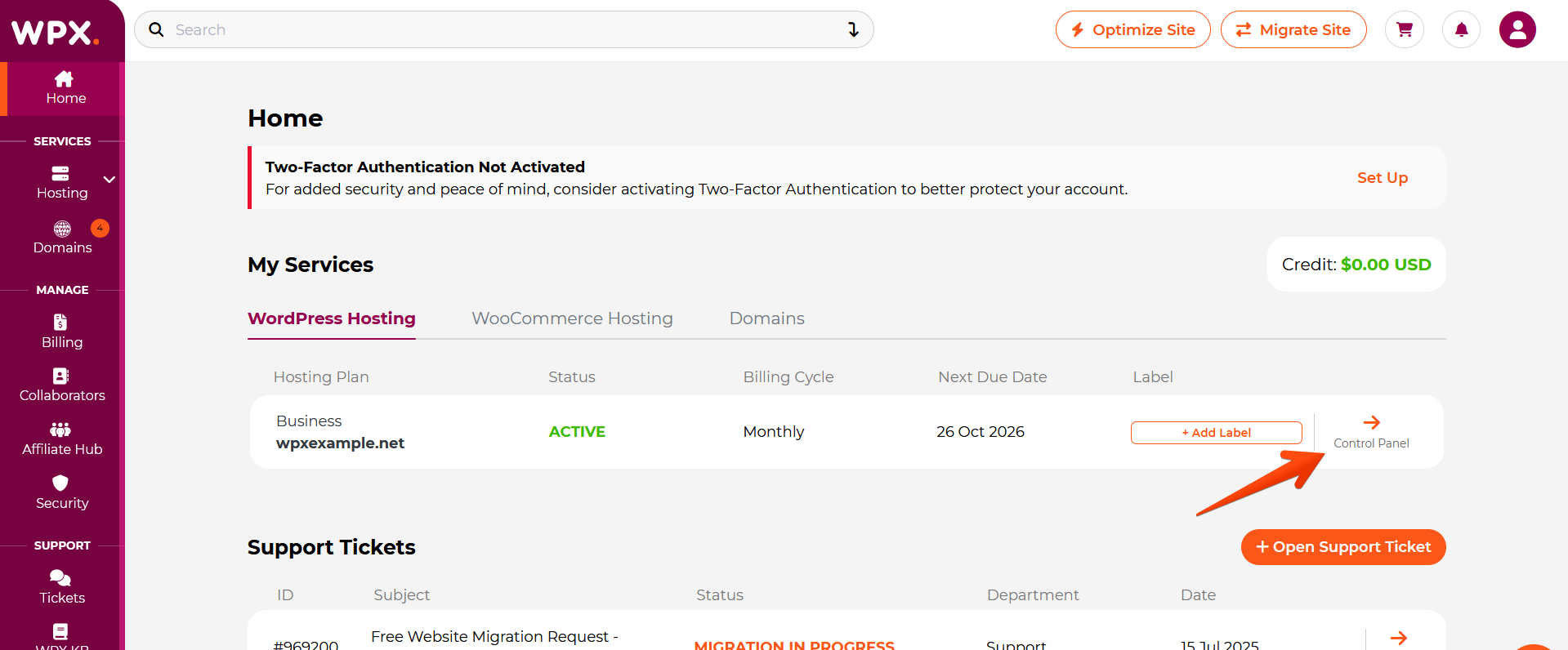
- Locate your hosting plan in the WPX client area.
- Click the Control Panel button next to the plan you wish to manage.
Step 3. Enable/ Disable WPX XDN
How to enable WPX XDN?
Within the Control Panel:
- Select WPX XDN
- Then, under status, click the toggle to enable/ disable XDN for the specific site.

How to disable WPX XDN?
You can use the same toggle to disable WPX XDN. If your domain is pointed to WPX using NS records, you don’t have to do anything else.
However, if you pointed your domain to WPX using A records, you need to follow the steps below before disabling WPX XDN to avoid downtime.
Stuck at any point? Don’t worry, just click the live chat widget in the bottom-right, and one of our support agents will assist you in under 30 seconds.