If you have an unpaid invoice, a pop-up reminder will automatically appear when you first log in to your WPX Dashboard. This reminder will direct you to the Invoices page.
If you prefer to check your invoices manually, you can follow the steps below.
Step 1. Log in to your WPX account
Begin by logging into your WPX account. You can do this by visiting the WPX login page.
Step 2. Select Billing
Once you’re logged into your account, click on Billing (1) to view all invoices, or select View All (2) under Invoices Due (if you have any) on your Home page.
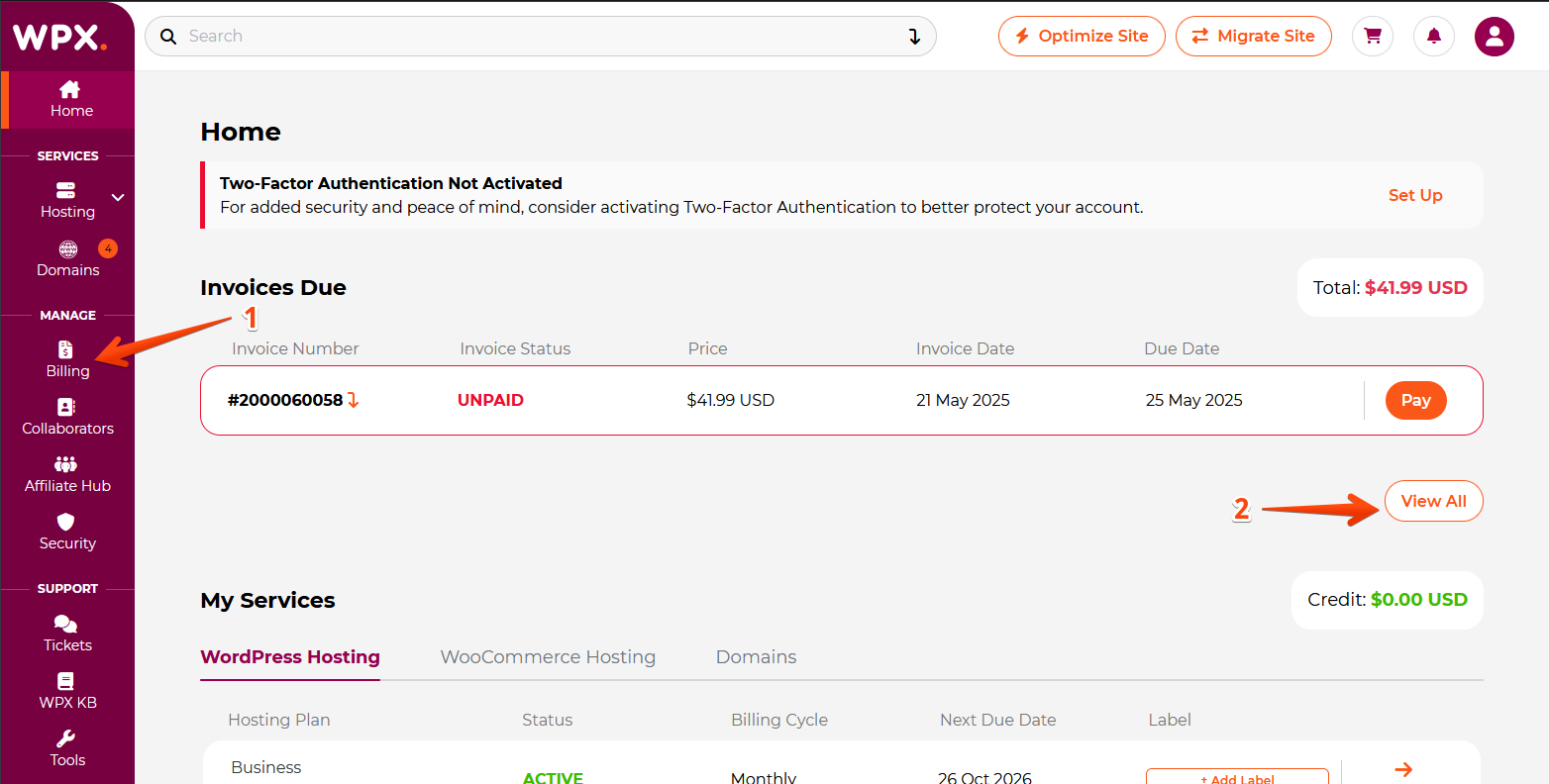
You’ll be taken to the Invoices page, where you can view invoice statuses, payment amounts, payment dates, and due dates.

Have more questions? Contact the WPX Support Team through the live chat widget in the bottom-right corner, and they’ll assist you promptly, typically within 30 seconds.