Installing WordPress in a subfolder is very simple and can be done with just a few clicks. We have simplified the installation process for WordPress via our Hosting Panel. Let’s go!
Step 1. Log in to your WPX account
Begin by logging into your WPX account. You can do this by visiting the WPX login page.
Step 2. Go to Control Panel
Once logged in:
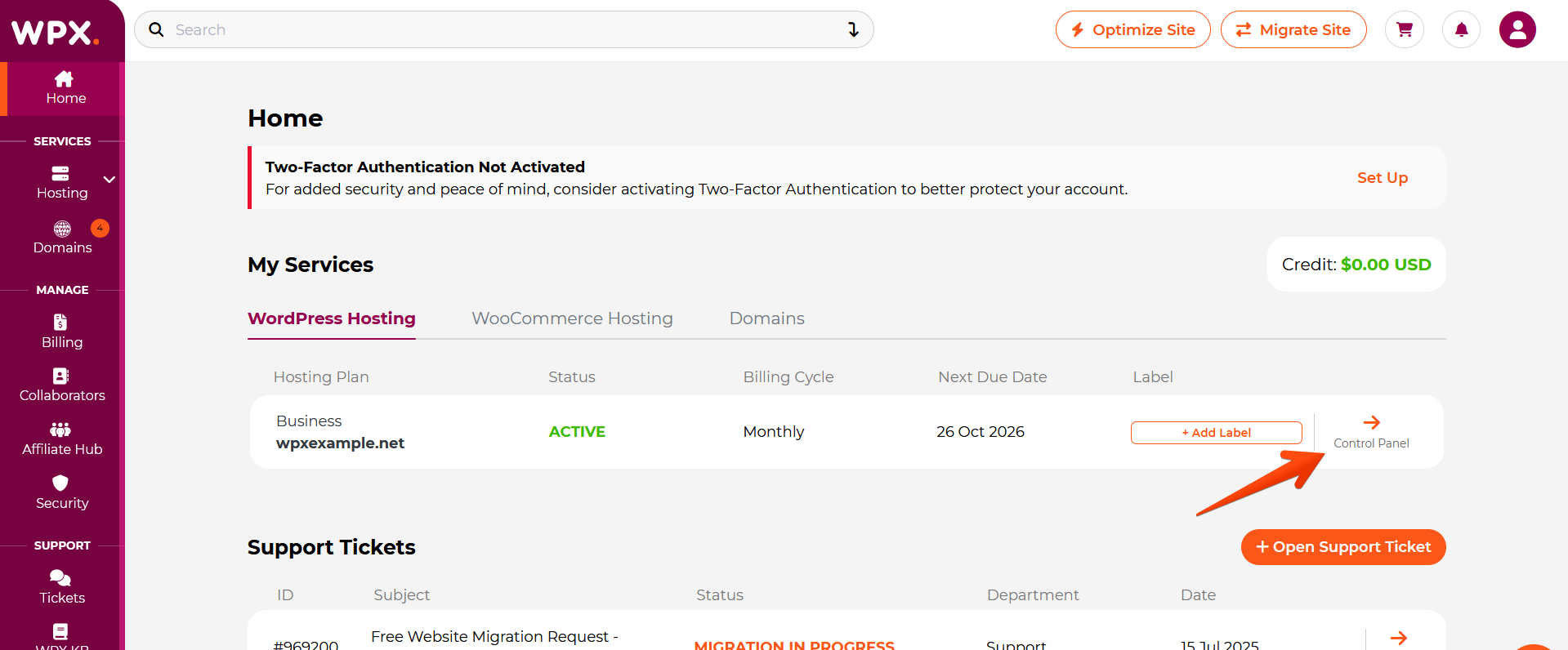
- Locate your hosting plan in the WPX client area.
- Click the Control Panel button next to the plan you wish to manage.
Step 3. Select WordPress
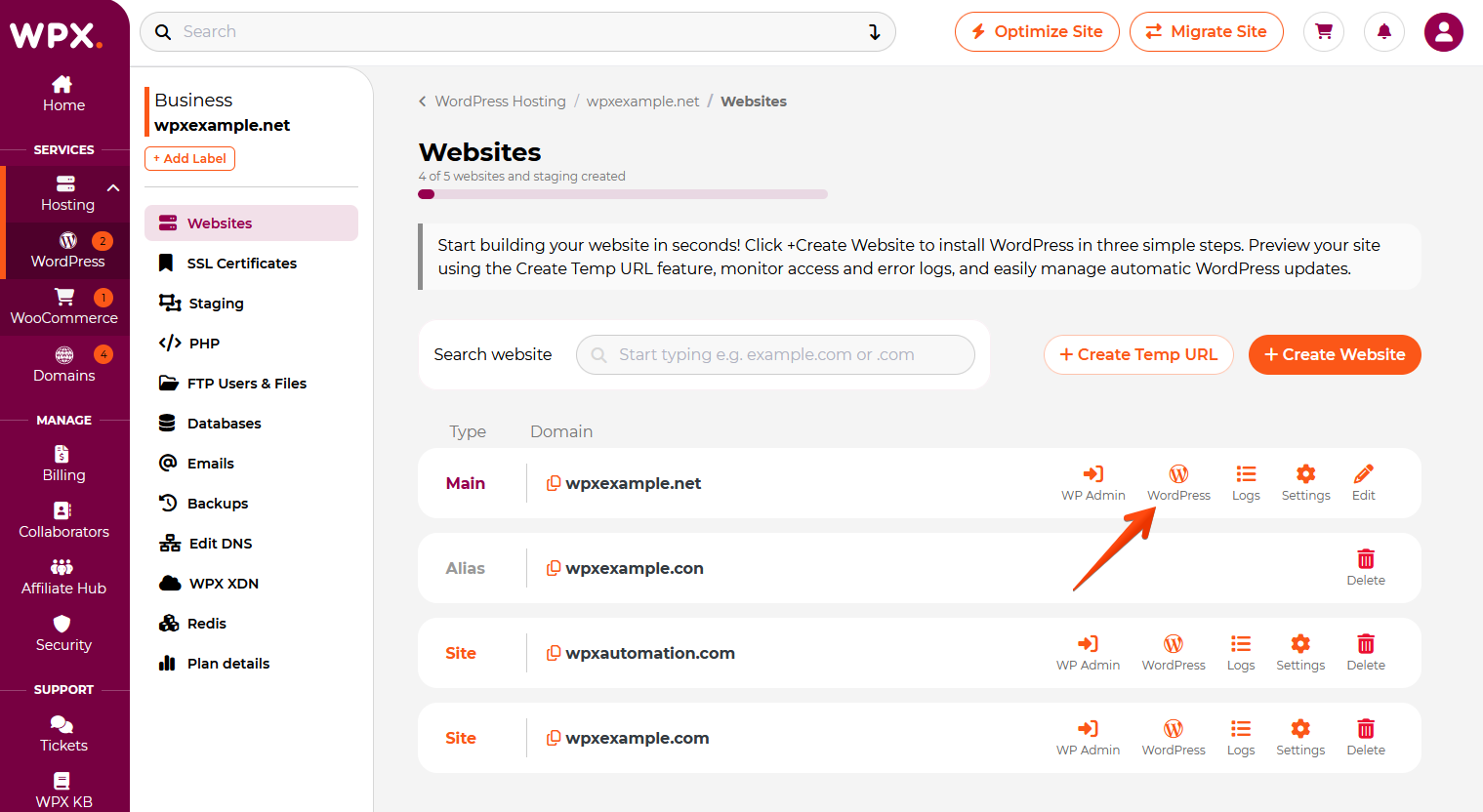
Within the Control Panel, click on the WordPress button.
Step 4. Install WordPress
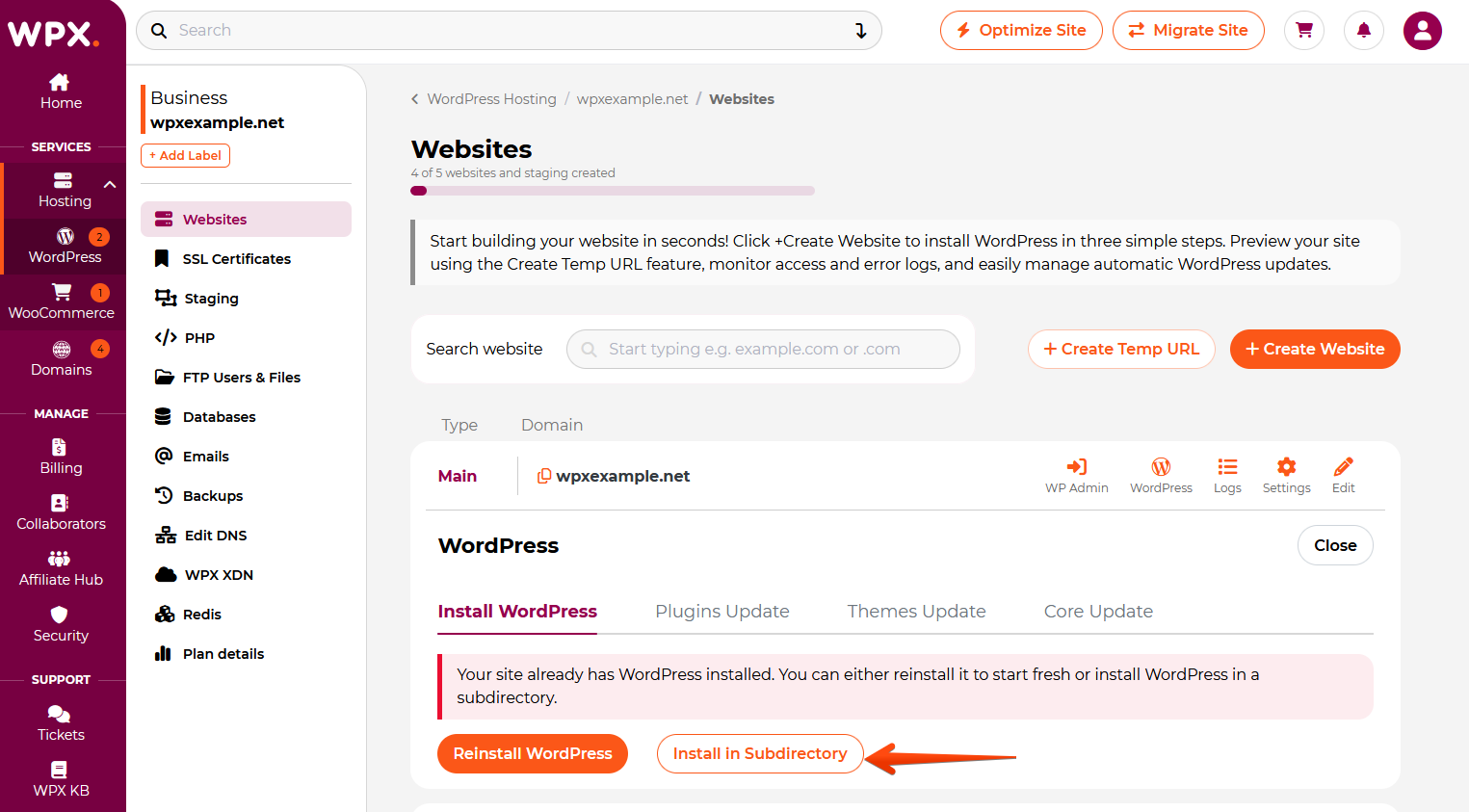
Click on the Install in Subdirectory button to start the installation.
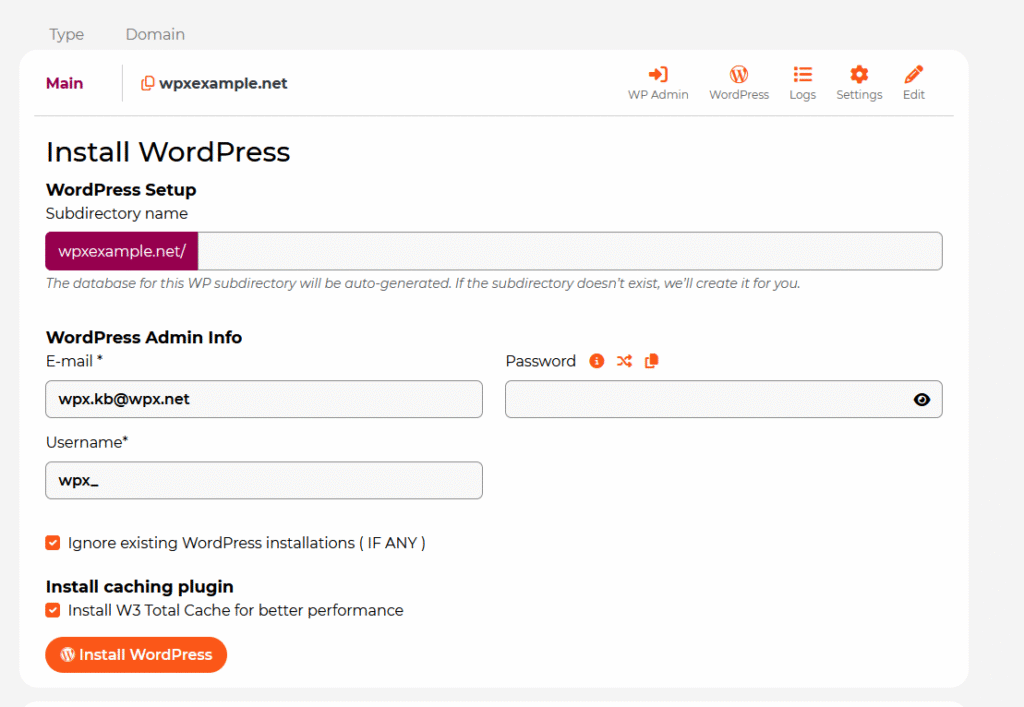
To complete the installation:
- Fill in the Subdirectory name (for example, blog);
- Then add the WordPress Admin Info (email, username, and password); Make sure to save the login details.
- Click on the Install WordPress button.
When you add a website to your hosting plan and install WordPress, a database is automatically created and connected to the website.
Stuck at any point? Don’t worry, just click the live chat widget in the bottom-right, and one of our support agents will assist you in under 30 seconds.