Some WordPress themes and plugins require certain PHP modules to work properly. We’ll show you how they’re supposed to be enabled through the client area.
You can enable the following modules and functions directly from the WPX control panel. Keep in mind that when you activate any modules or functions, they are applied only to the current PHP version used by the site.
PHP Modules
Ioncube
SOAP
Intl
GMP
PHP Functions
exec()
parse_ini_file()
Step 1. Login to your WPX account.
Begin by logging into your WPX account. You can do this by visiting the WPX login page.
Step 2. Navigate to your hosting plan.
Once logged in:
- Click the Control Panel button next to the plan you wish to manage.
- Locate your hosting plan in the WPX client area.
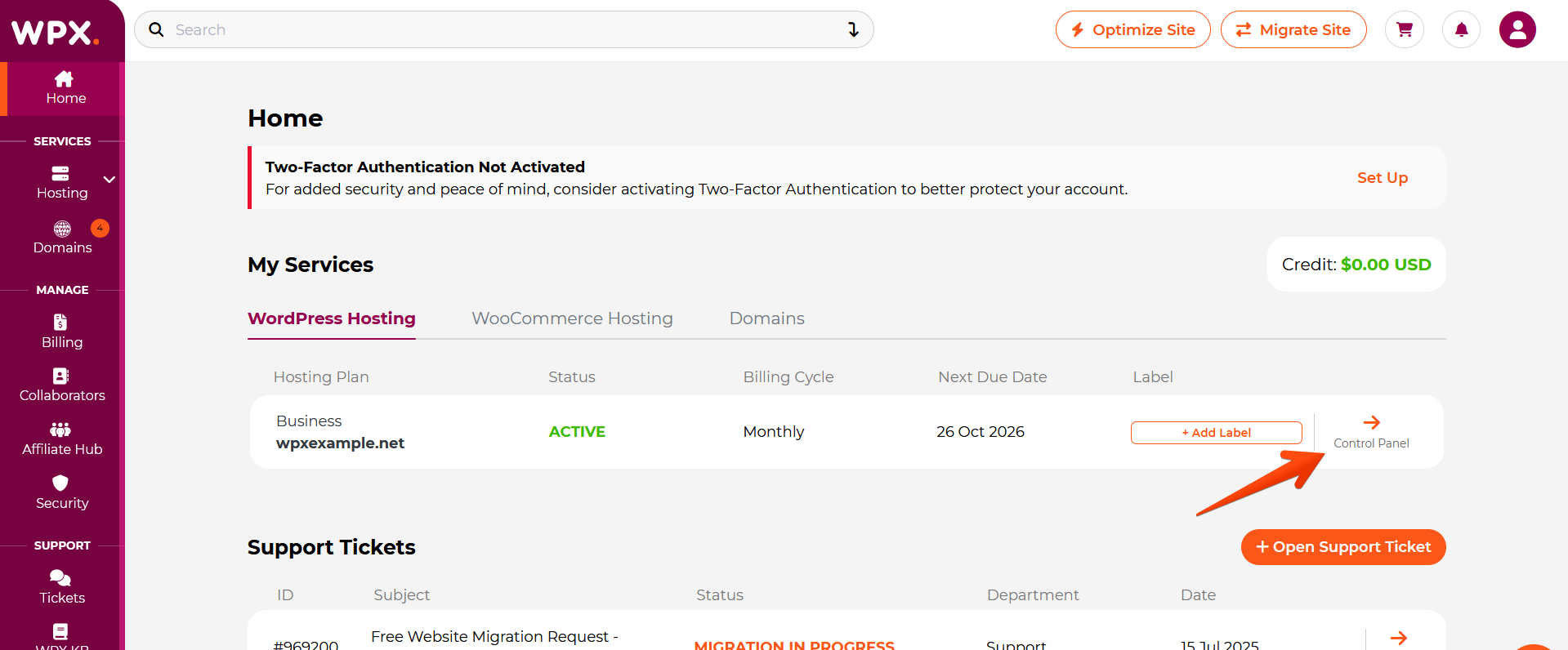
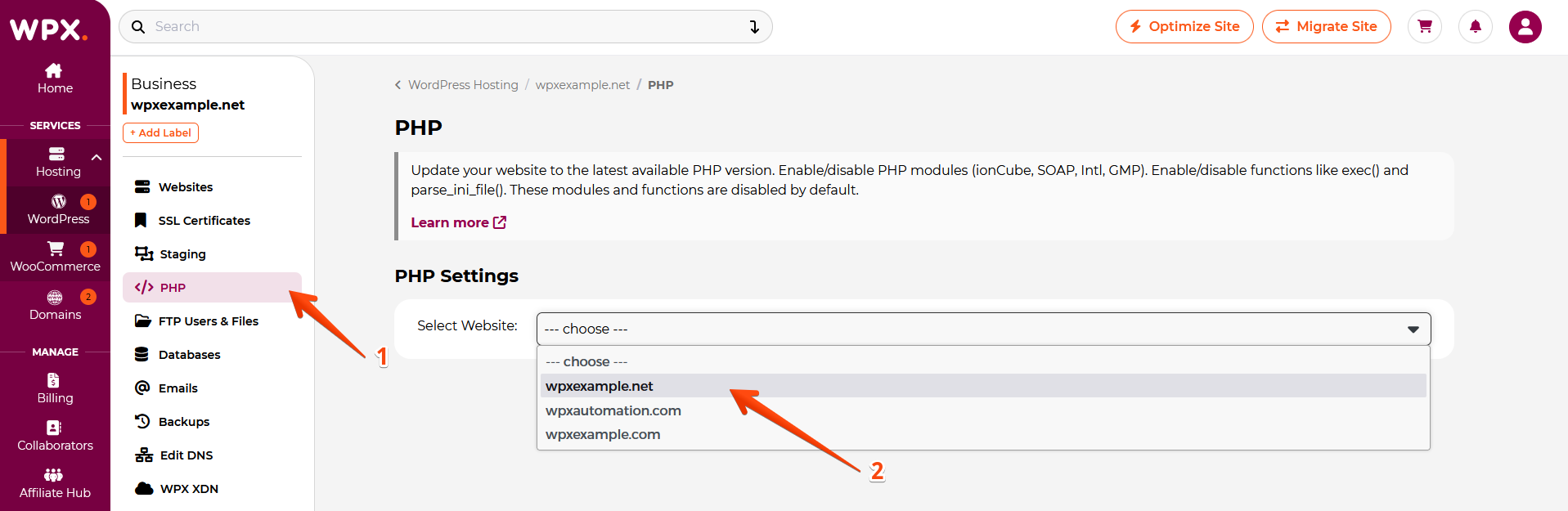
Step 3. Navigate to the PHP menu
- Select the PHP section.
- Select the website you want to change the PHP version for.
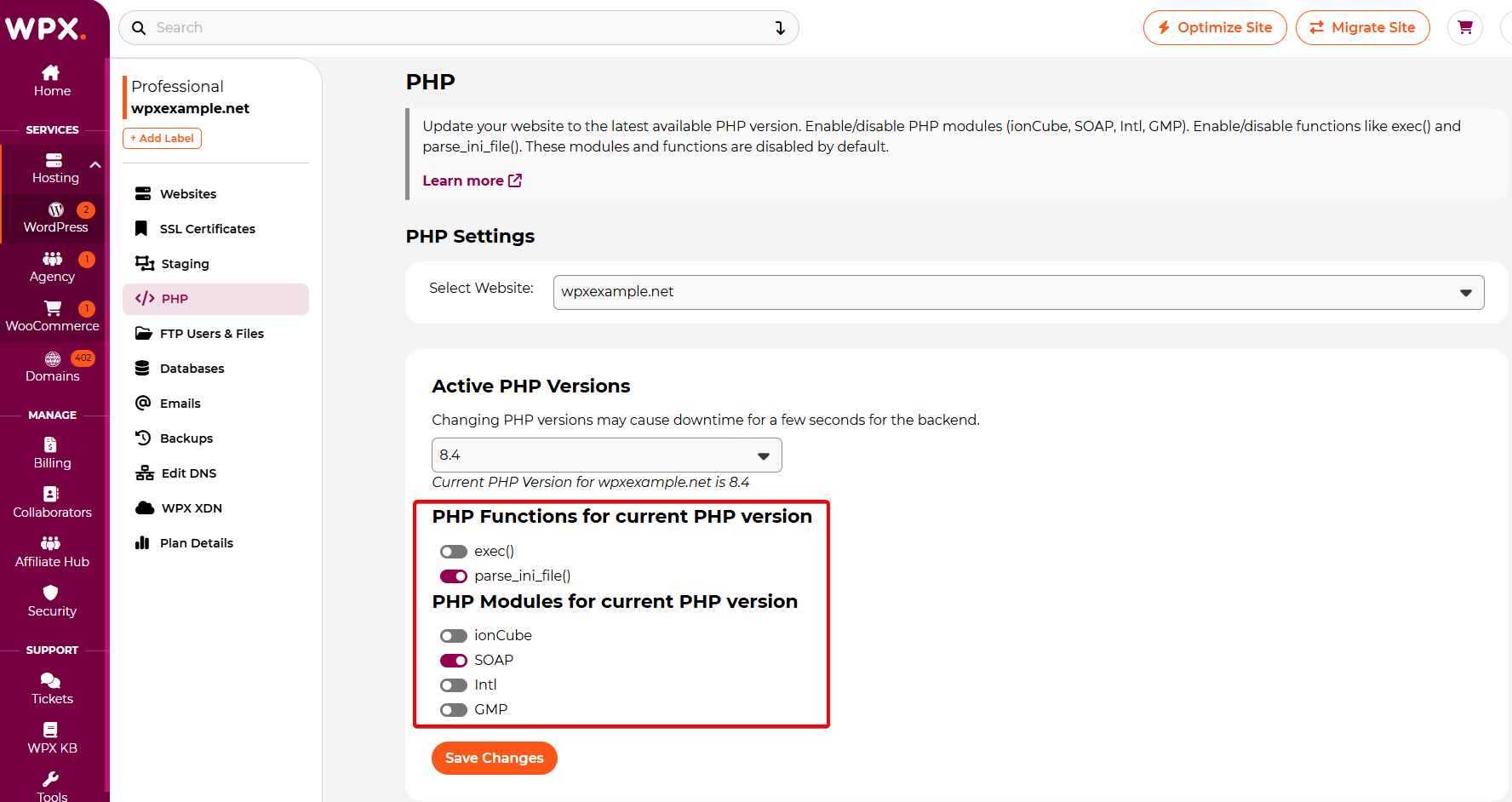
Under the PHP Modules for current PHP version menu, you can see the modules you can enable from the WPX control panel (ionCube, SOAP, Intl, GMP). They are all disabled by default.
Under the PHP Functions for current PHP version menu, you can enable the exec() function or parse_ini_file(). They are disabled by default.
Have more questions? Contact the WPX Support Team through the live chat widget in the bottom-right corner, and they’ll assist you promptly, typically within 30 seconds.