What are Recovery Codes?
Recovery codes are backup access keys generated when you set up Two-Factor Authentication (2FA) for your WPX account. They serve as a safety net, allowing you to regain access if your primary 2FA method is unavailable.
Why do you need Recovery Codes?
If you lose access to your authentication device or cannot complete the 2FA process, recovery codes provide an alternative way to log in. Without these, you risk being locked out of your account.
How to use Recovery Codes?
If you can’t complete the 2FA step, you can use a recovery code to disable 2FA and log in.
On the WPX login page, click on the Use recovery code option.
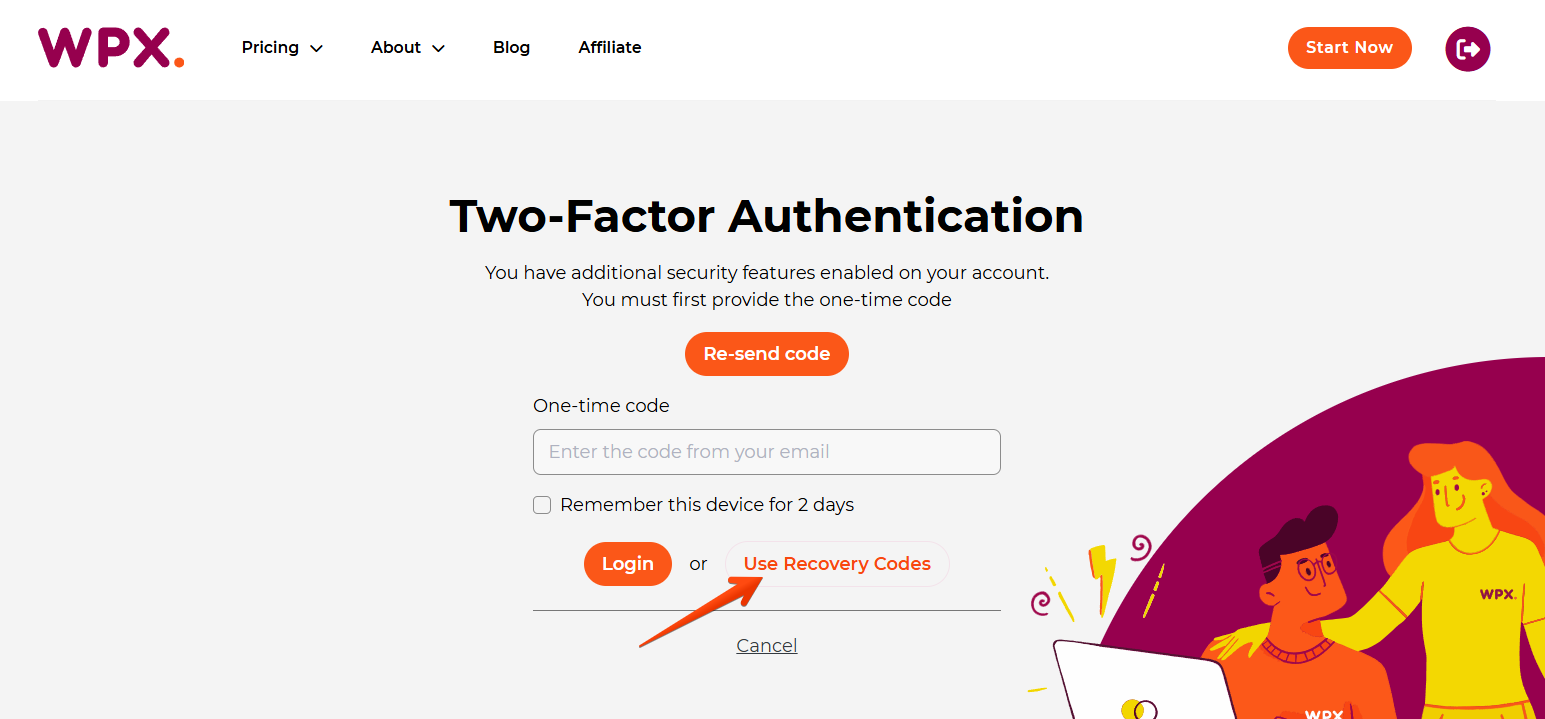
Enter your account credentials and provide one of your saved recovery codes.

Click on the Disable 2FA button to disable Two Factor Authentication and log into your WPX account.
Don’t forget to set it up again, once you log in successfully.
Setting Up Recovery Codes
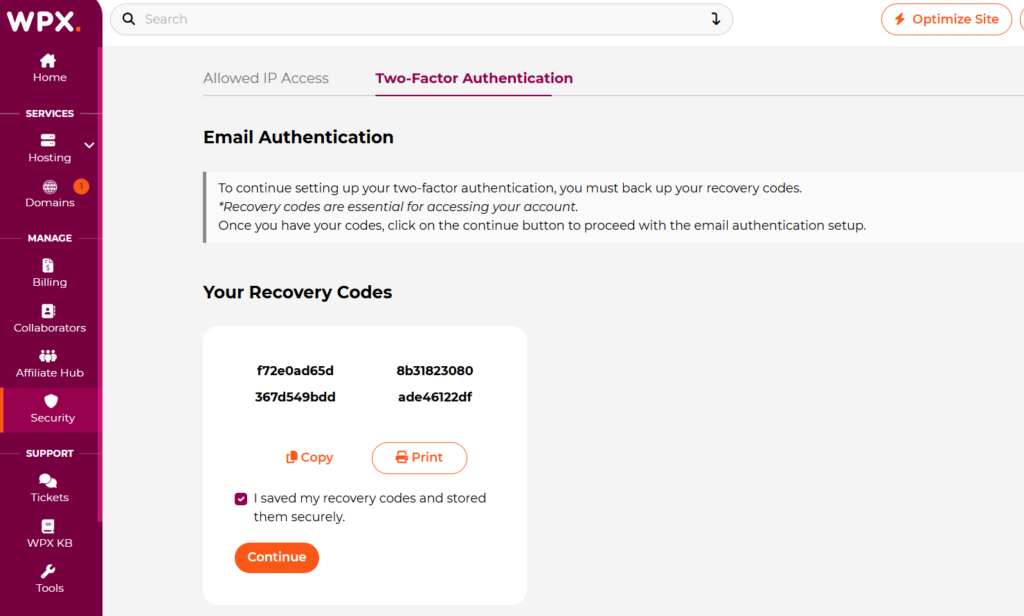
During the 2FA setup, WPX will generate four unique recovery codes. Save these securely, as they will not be available again through your dashboard. You might store them in a secure password manager or physically print them for safekeeping.
Additional Tips
- Each recovery code can be used once.
- After using a code, consider regenerating a new set for continued security.
- If you lose your recovery codes and cannot access your account, contact WPX Support for assistance.
If you get stuck with anything discussed on this page, please get in touch with the WPX Support Team via live chat (use the bottom right-hand widget) and they will respond and help within 30 seconds or less.