In this article, we will explain the most common email errors that you may receive and the reasons behind them. The following article will not include any error messages that you may receive when using third-party mail services or mail clients.
Mailbox Not Found
This error message is pretty simple and concludes that the request to send an email to the specified email address in question failed because it is non-existent.
In most instances, this would mean that the email address you are sending to is misspelled or incorrect. You will need to check the email address and make sure that it is written correctly.
The error message has different variations, which all indicate the same or similar thing:
- Invalid Mailbox – it indicates that the recipient address is non-existent or that the user for that mailbox has been deleted recently.
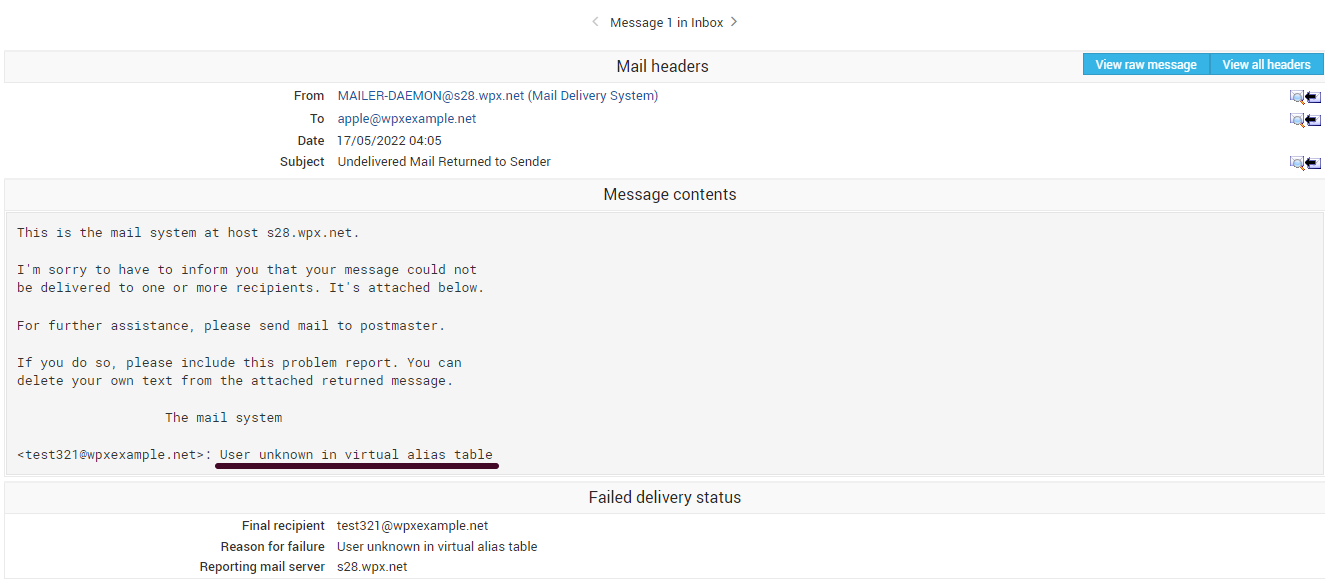
- User unknown in virtual alias table – it indicates that the email address is misspelled or incorrect.
- Mailbox Unavailable – it indicates that the mail server of the recipient is not reachable and it can not complete the request.
This image is an example of one variation of the error when trying to send an email to an incorrect email address:
Can’t create user output file
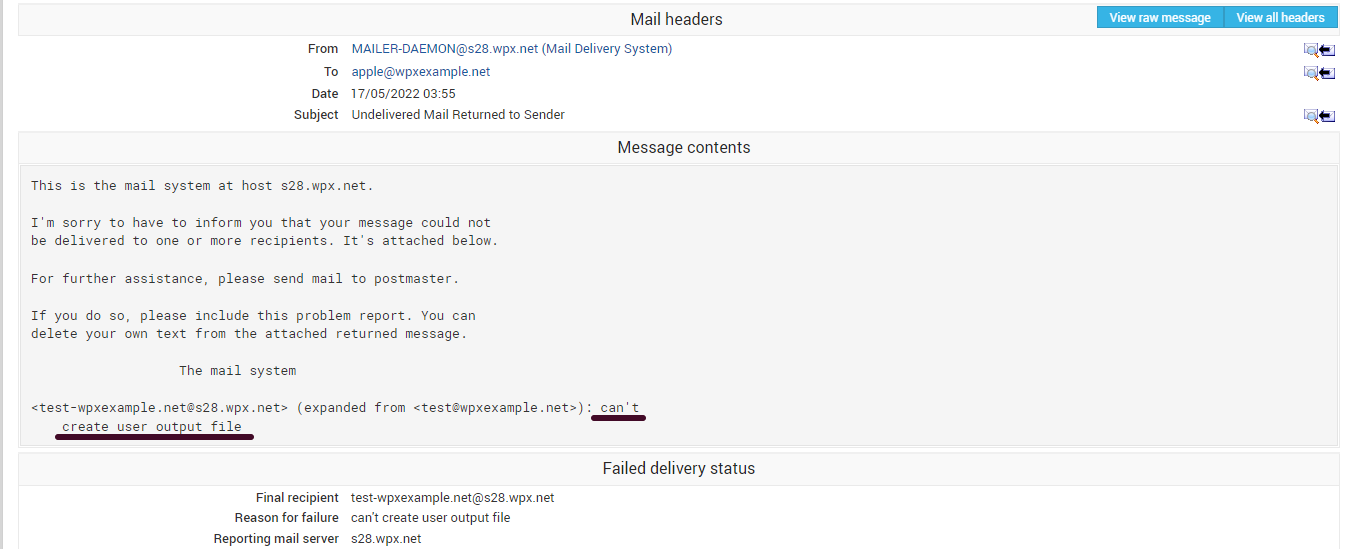
The error message would indicate that your current allocated quota for the email address or the account is full, and you cannot currently receive emails.
The image is an example of that error directly from our integrated Webmail client:
You will have options to clear space by deleting any spam messages that are kept, or another way would be to set a specific mailbox quota for the email address. This will provide you with more control over the email box and not allow any spam to pile up and fill your disk quota.
If you’ve already set a specific quota for your email box but reached it quickly, you can additionally edit and raise it higher (if your hosting disk space allows that). More on how you can check or set a specific quota for your email address can be found here.
Another message that will indicate the same thing is “Mailbox Quota exceeded“. This error could also indicate that your overall disk space on your WPX Account is full. If you haven’t set a limit on your email boxes, the same solution will apply in this scenario. You will need to clear the email address that is taking up space or limit it to a specific quota.
Connection timed out error
This error message is more complicated, and it assumes possible mail server issues. The error may be triggered by different instances, such as missing or wrong DNS records implemented for the domain in question.
Unroutable address
The reasons behind this error message may vary, and it can combine with or be part of other error messages, such as a misspelled recipient email address.
Another cause for this error would be connected to the mail server not being able to determine the route for requesting due to incorrectly implemented Mail DNS records. Keep in mind that these DNS issues can be connected to the recipient’s mail server as well.
The final reason for such an error message could also be triggered by reaching the limit on the number of sending messages. Here at WPX, we do have a limitation for sending out 50 messages in 30 minutes. More on that can be read here.
Stuck at any point? Don’t worry, just click the live chat widget in the bottom-right, and one of our support agents will assist you in under 30 seconds.