In this guide, we’ll show you how to restore your Live site after merging it with a Staging area.
Things don’t always go as planned — so if something goes wrong during the merge or you just want to undo the changes, don’t worry — you’ve got options.
You can restore your Live site using a Personal Backup or an Automatic Backup Point — both available in your WPX control panel.
This is a common step if the merge is not successful or the Live site isn’t working properly afterward.
Step 1. Log in to your WPX account
Begin by logging into your WPX account. You can do this by visiting the WPX login page.
Step 2. Go to Control Panel
Once logged in:
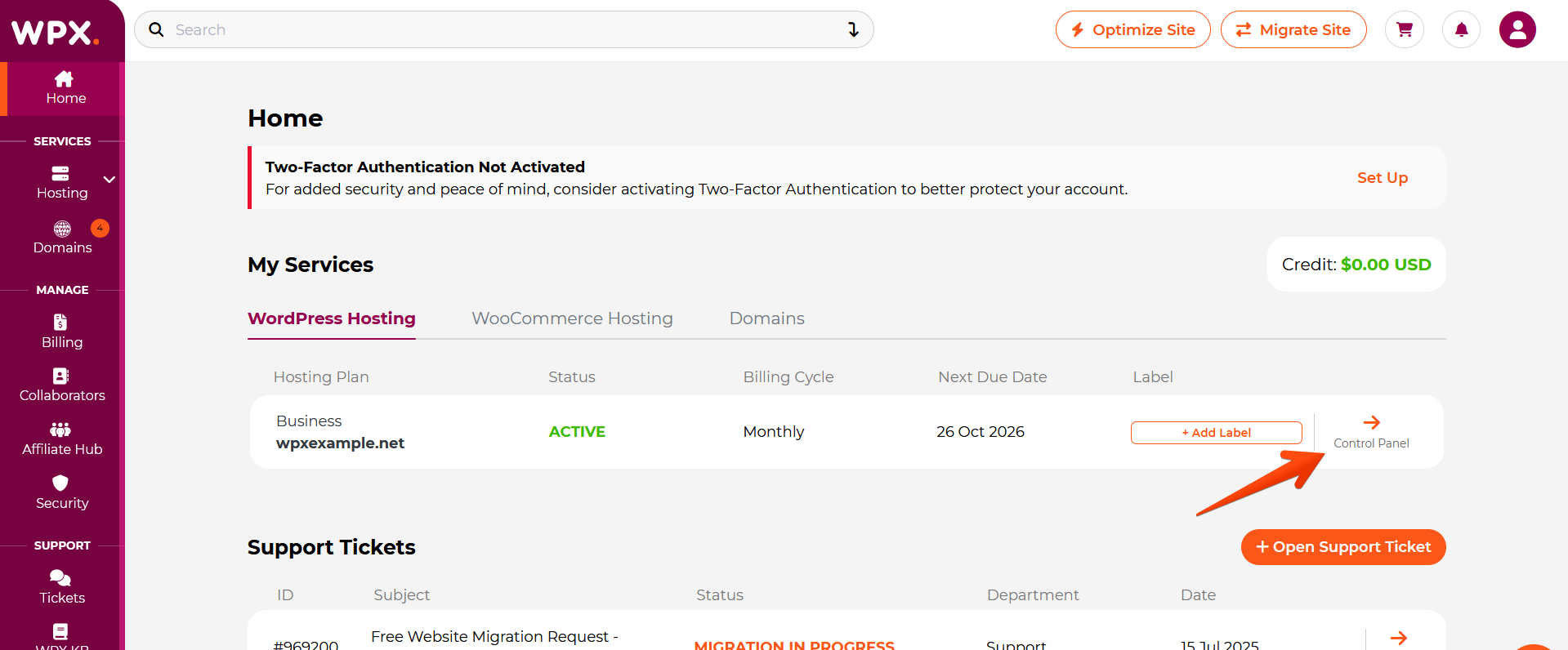
- Locate your hosting plan in the WPX client area.
- Click the Control Panel button next to the plan you wish to manage.
Step 3. Merge & Create Personal Backup
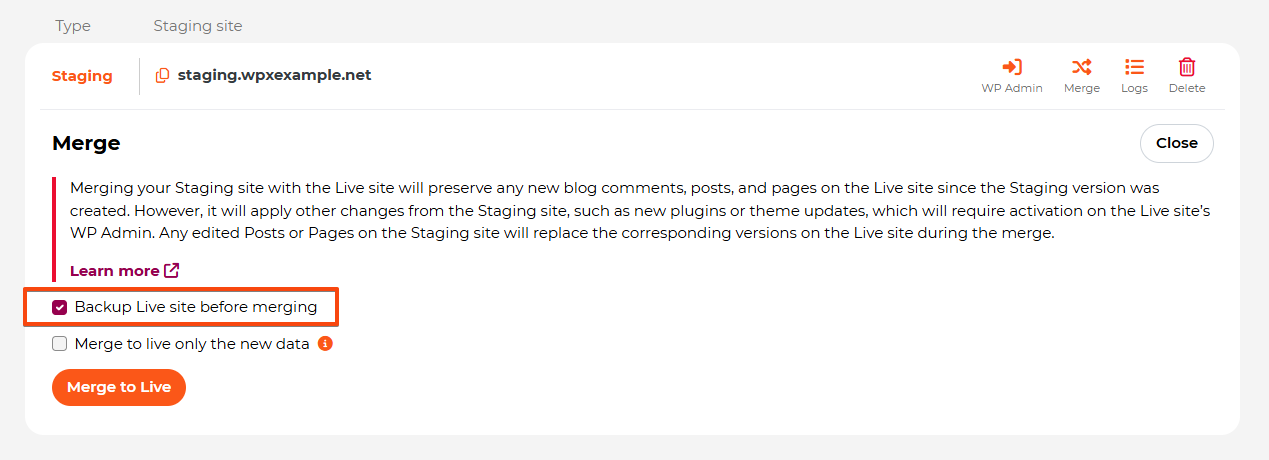
When merging your Staging area, you’ll have the option to create a Personal Backup of your Live site before starting the process.
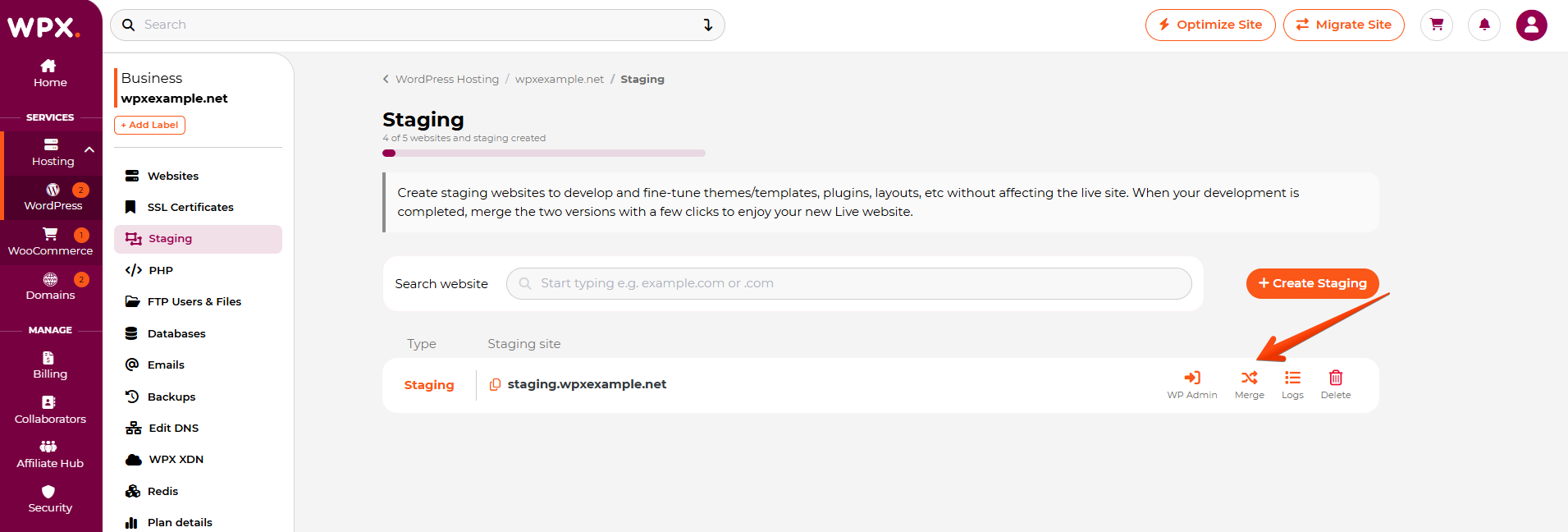
- Navigate to the Staging section in your WPX Control Panel.
- Locate the Staging site you want to merge.
- Click the Merge button next to it.
Once you click the Merge button, a new section will appear. There, you’ll see the option to create a backup before the merge, which is automatically checked.
Restore Live Site: Personal Backup
If you need to restore your Live site after the merge, you can do so from the Backups menu in your Control Panel, under the Personal Backup section.
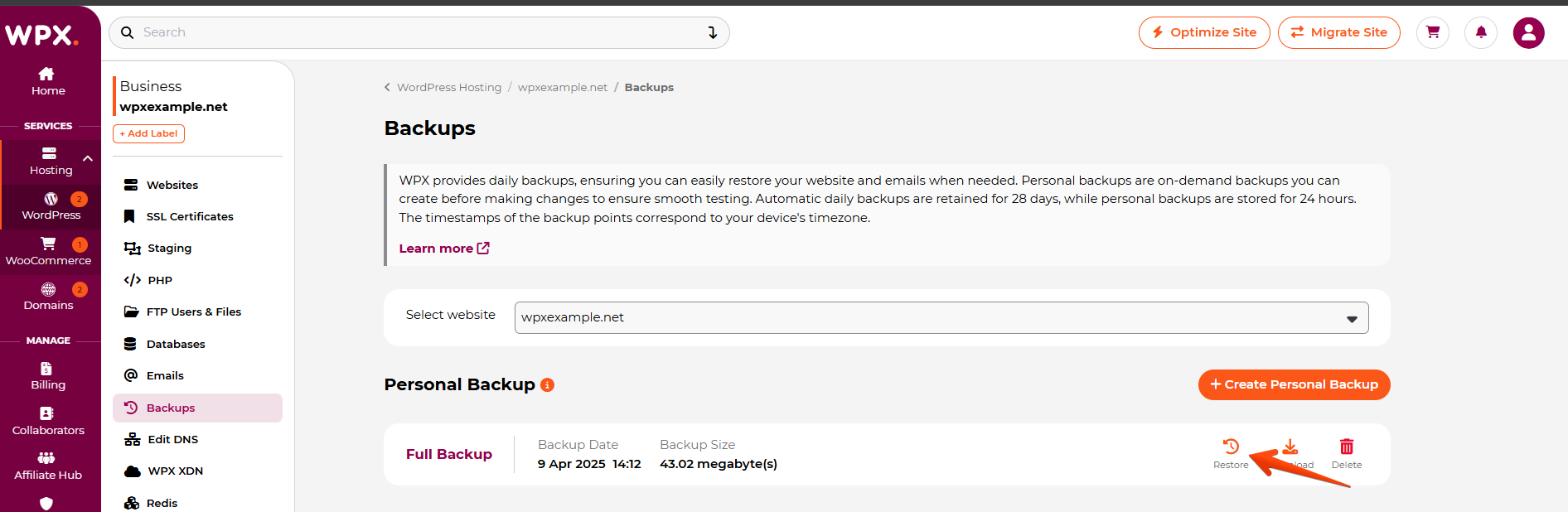
For more details, check out our article on how to restore a Personal Backup.
Restore your Live Site: Automatic Backup
In case you didn’t create a Personal Backup (or it got deleted because you made it more than 24 hours ago) but still need to restore your Live site, you can do so using our Automatic Backups.
For more detailed instructions, check out our guide on how to restore from an Automatic Backup.
Have more questions? Contact the WPX Support Team through the live chat widget in the bottom-right corner, and they’ll assist you promptly, typically within 30 seconds.