Welcome to WPX! We’re thrilled to have you on board. Setting up your WPX Hosting account is quick and easy. Follow these simple steps, and you’ll be up and running in no time!
Step 1. Choose your WPX Plan and Get Started
To get started:
Click the Start Now (1) button or visit our WordPress Hosting, Agency Hosting & WooCommerce Hosting pricing
If you’re unsure which plan is right for you, feel free to reach out to us through the LiveChat box located at the bottom right of your screen.
Choose the ideal plan for you by selecting your Billing Cycle (2) and then clicking on Choose plan.
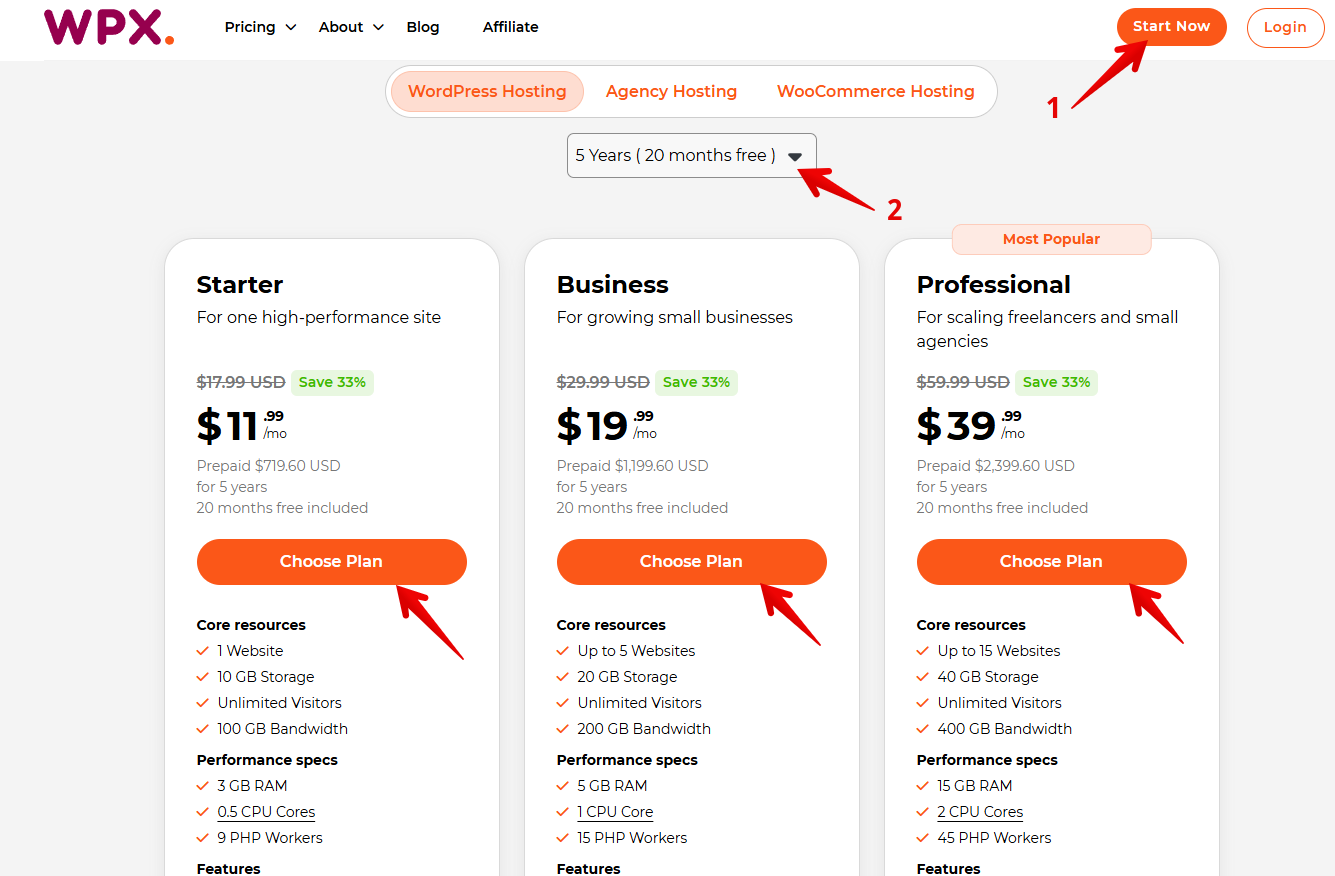
Every WPX plan includes our custom-built WPX XDN, a powerful Content Delivery Network designed to supercharge your website’s speed, at no extra cost!
Step 2. Select your Main Website (Domain) and Server Location
At this stage, you’ll decide whether you:
- Need a new domain name (1) – purchase one along with your hosting plan, OR
- Only need hosting (2) – enter your existing domain name
Once you’ve entered your domain, click Continue (3) to move forward:
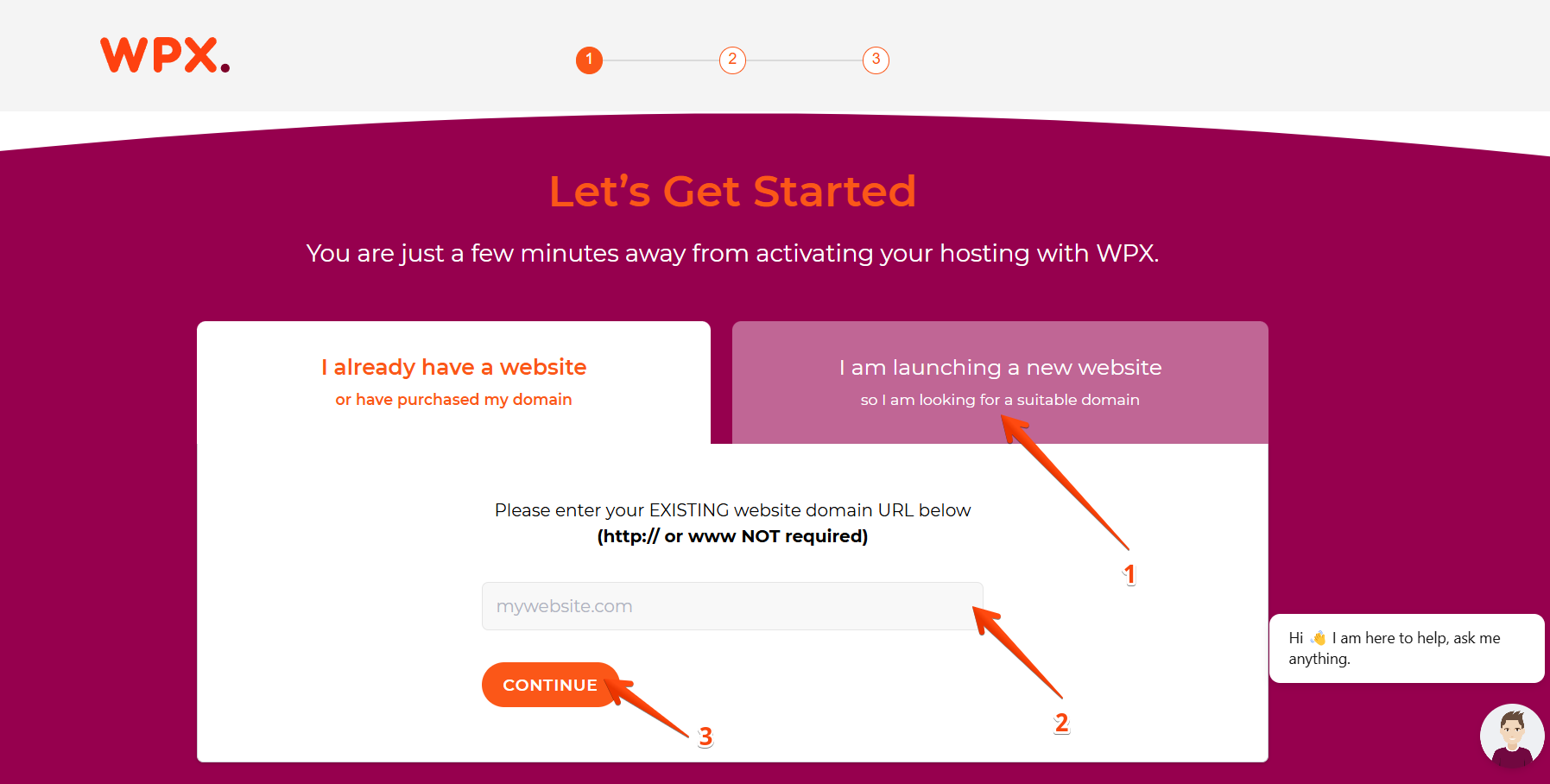
Next, select your preferred server location for optimal website performance. We offer hosting in:
Chicago, USA
Sydney, Australia
London, UK

Step 3. Complete your order
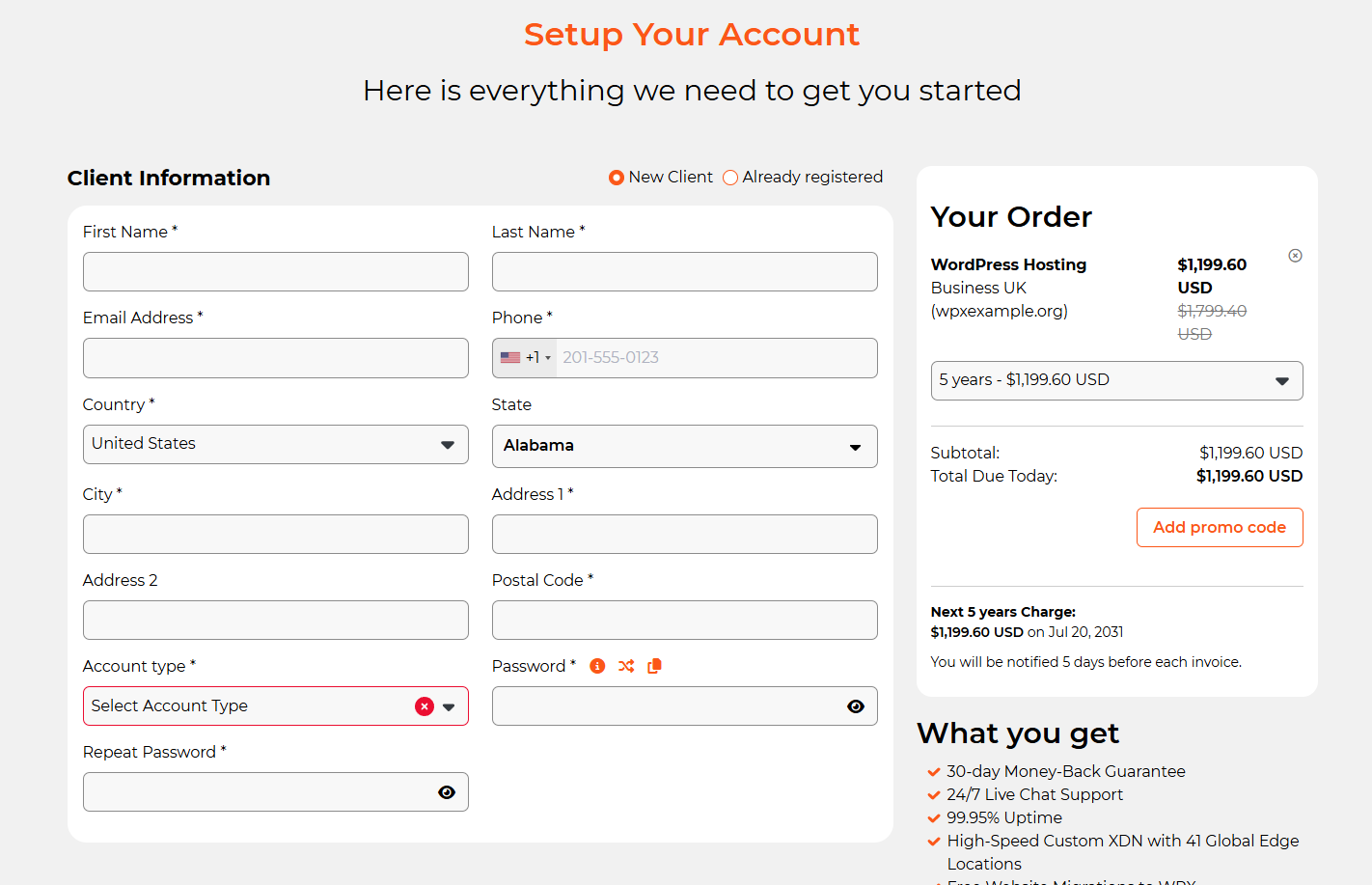
On the Order Summary page, you’ll see your selected hosting plan and its exact pricing. Here’s what you need to do next:
Enter your personal and account details
Choose your preferred billing cycle: Monthly or a 1- to 5-year billing cycle
Apply any available promo codes (e.g., Black Friday discounts)
After completing the previous steps, scroll down to select your preferred payment method (1) and review our Terms of Service, Policies, and Refund Policy (2).
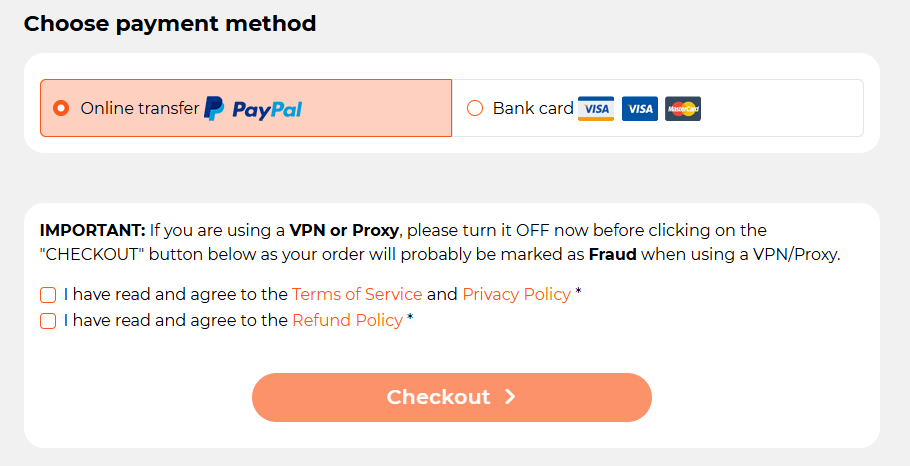
Finally, click Checkout (3) to complete your setup.
Congratulations! Your WPX Hosting account is now set up. To help you get started, you can:
- Request a FREE website migration from our expert Migration Team.
- Explore your WPX account and enjoy premium features like free SSL Certificates, DDoS Protection, WPX XDN, free Email service, a Staging Area, and more.
- Check out our Knowledgebase FAQs for helpful guides and tips.
Stuck at any point? Don’t worry, just click the live chat widget in the bottom-right, and one of our support agents will assist you in under 30 seconds.