As a WPX Affiliate, you have access to a variety of banners, logos, and text links to help promote our services and earn commissions. Whether you’re promoting on your website, social media, or other platforms, we’ve made it easy for you to access and use these materials.
Step 1. Log in to your WPX account and open the Affiliate Hub
Start by logging in to your WPX account here. Once you’re logged in, click the Affiliate Hub.

Step 2. Choose Your Media and Banners
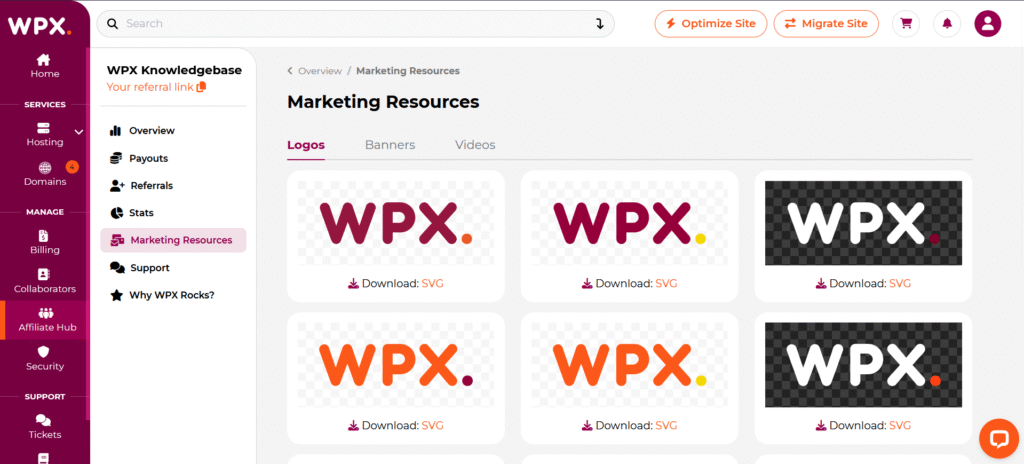
Inside the Affiliate Hub, select Marketing Resources.
There you’ll find Banners, Logos, HD Screenshots, and Videos that you can use on your website or other promotional channels. Browse through the options and select the ones that best suit your audience and marketing strategy.
You can use these materials on your website, Facebook, Twitter, Google, or any other channels you prefer to promote WPX Hosting.
Have more questions? Contact the WPX Support Team through the live chat widget in the bottom-right corner, and they’ll assist you promptly, typically within 30 seconds.