Sharing one WordPress login can be frustrating for teams. Fortunately, adding multiple users with specific roles is quick and easy—this article shows you how.
Step 1. Log in to the WP-Admin Dashboard
To access your WordPress dashboard, add /wp-admin or /wp-login.php to your site’s URL.
For example, newsite.com/wp-admin. This loads the default login page in your browser.

Login with your WordPress admin username and password.
Step 2. Create a new user
After successfully logging into your site, navigate to Users (1) and then Add New User (2).
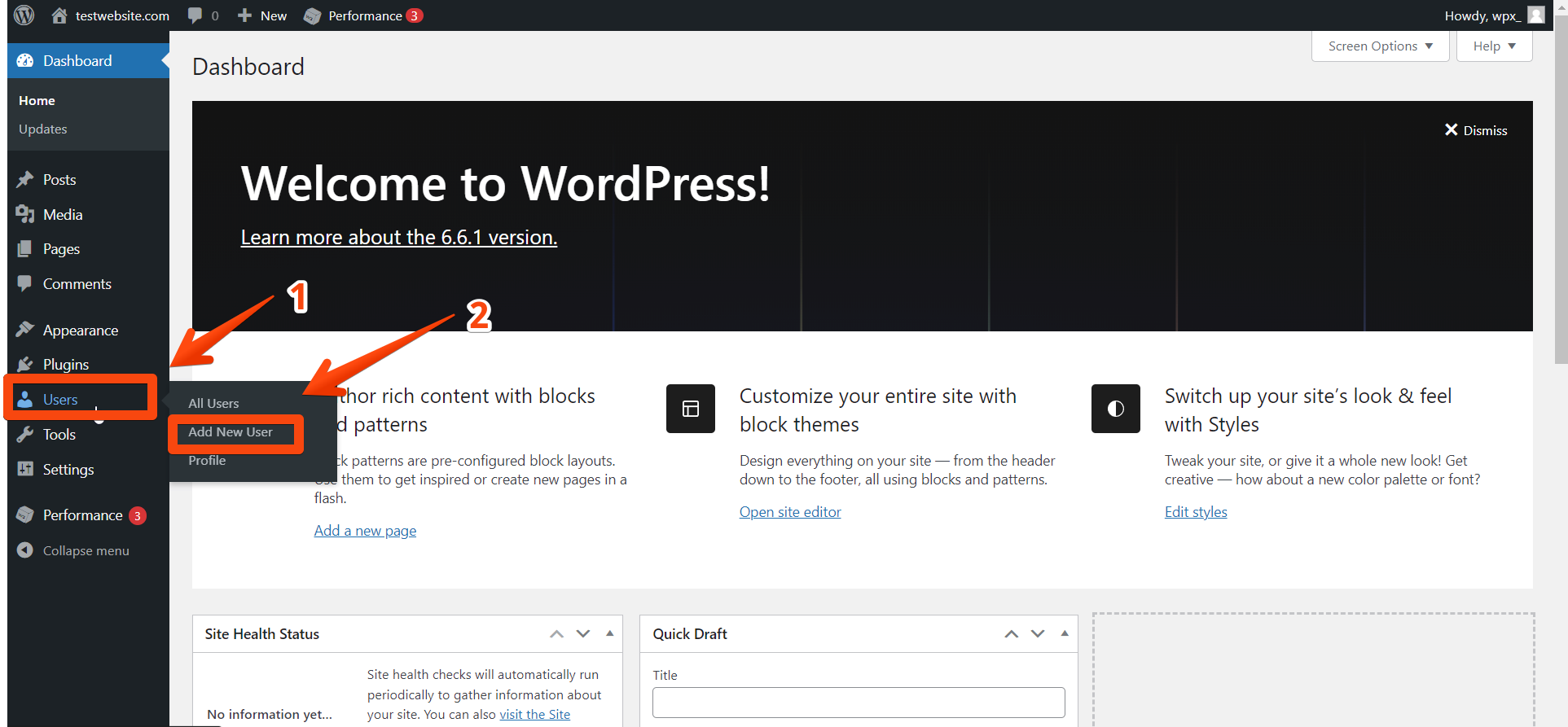
To create a user:
- Fill in the required fields like Username and Email.
- Optional fields include Name and Website.
- Use Generate Password for a secure password or enter one manually. Users can change it later. Click Show/Hide to preview it.

Step 3. Types of user roles
There are five user roles, each with different permissions depending on your needs. You can choose the role of the user from the drop-down menu at the bottom.
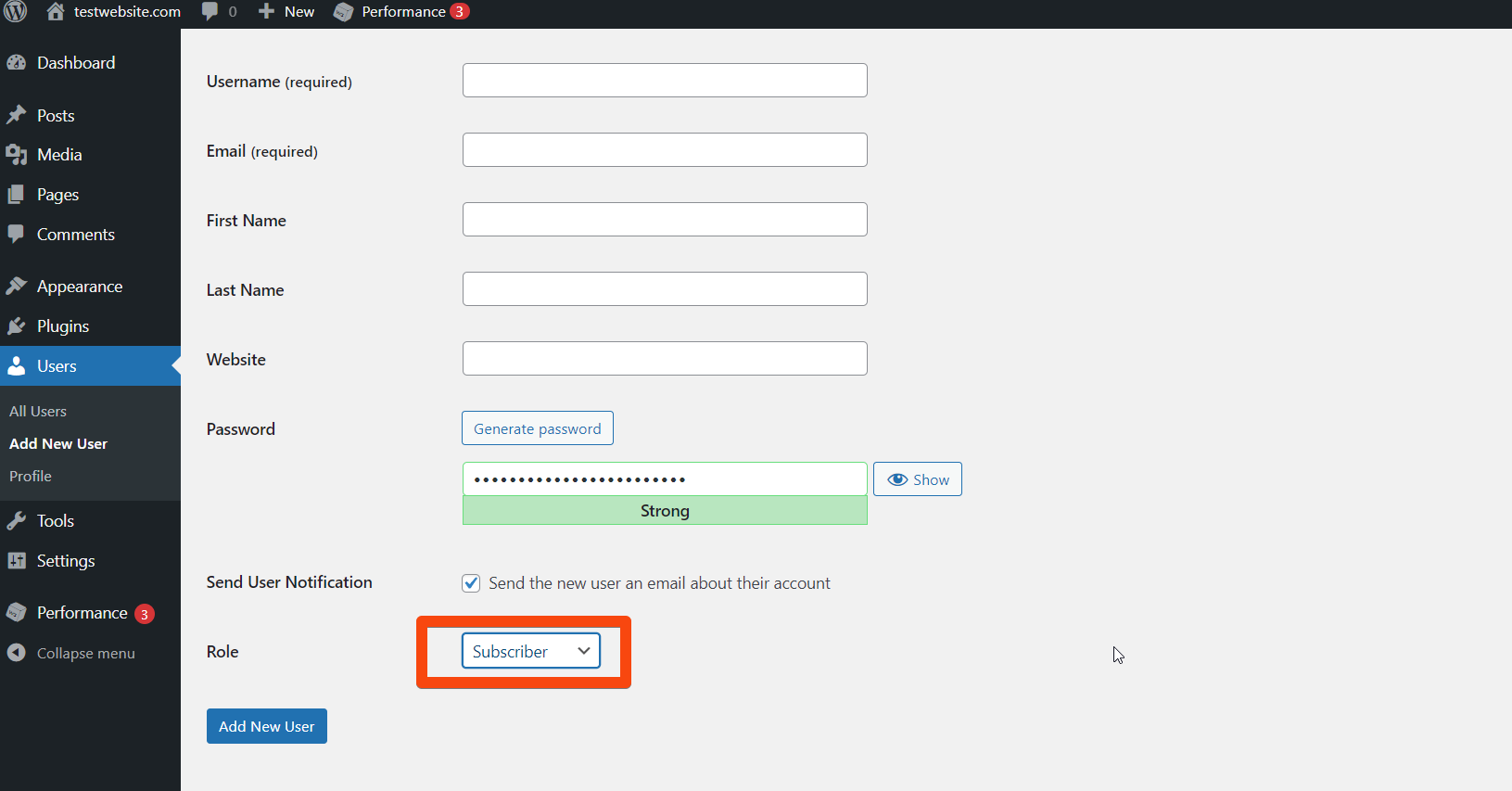
Administrator – Full access to the dashboard: manage posts, pages, plugins, themes, and users.
Editor – Manage all posts, pages, and comments, but can’t change site settings or manage users.
Author – Can create, edit, and publish their posts, but can’t manage site settings or other users.
Contributor – Can write and edit their posts but can’t publish or manage others’ content.
Subscriber – Can only log in and manage their profile; no access to posts or settings.
Super Admin – For Multisite setups only; has full control over all sites in the network.
Stuck at any point? Don’t worry, just click the live chat widget in the bottom-right, and one of our support agents will assist you in under 30 seconds.