
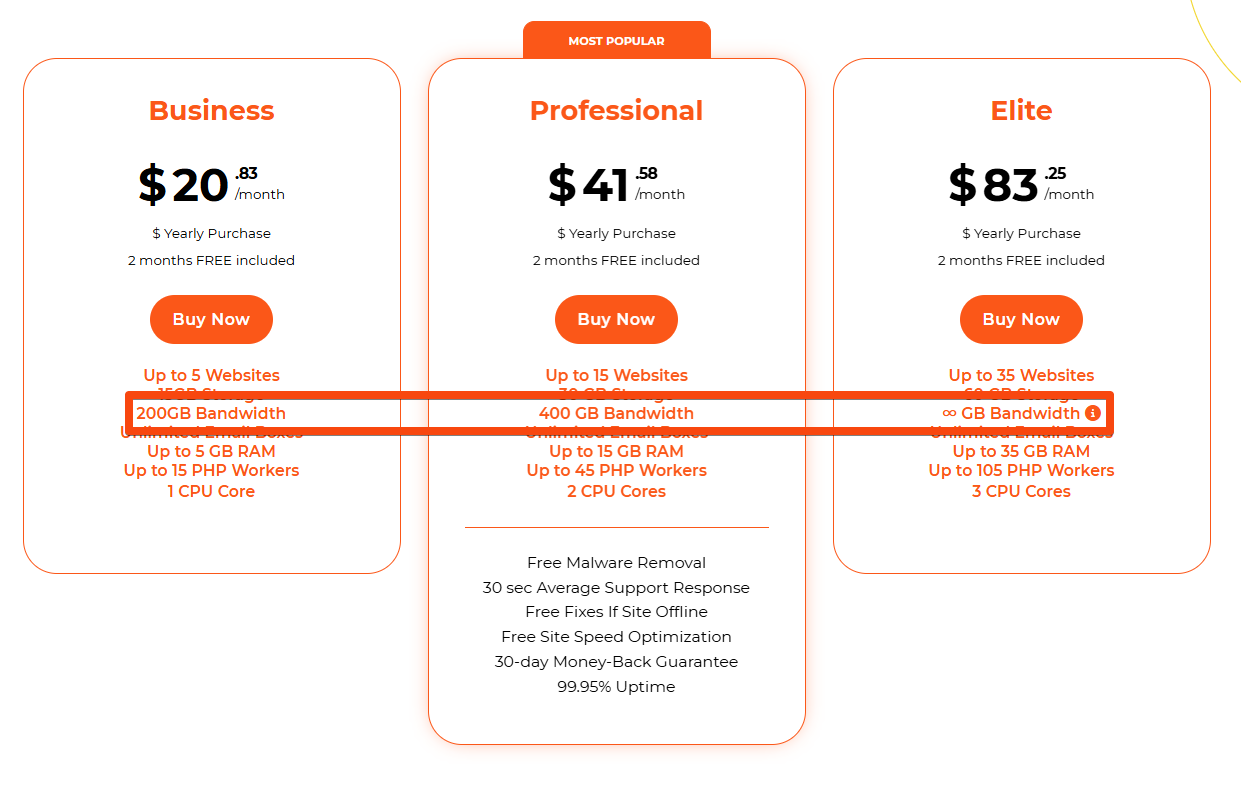
As you may know, every hosting plan includes specific bandwidth usage limits. In this article, we’ll provide a detailed overview of what that means, how it affects your website, and what to keep in mind as your site grows.
What would happen to my sites?
There is no automatic site shutoff, as is the case at many Web hosts when the bandwidth limit is exceeded.
Our Security and Optimization department monitors such cases closely. If your site exceeds its bandwidth limit, we will reach out to you directly to determine whether the spike was a one-time occurrence or part of an ongoing trend.
In most cases, bandwidth usage is effectively managed by our free CDN (Content Delivery Network), provided it’s enabled.
What causes high bandwidth usage?
Most of the time clients assume that high bandwidth usage is related to higher site traffic. However, that’s not always the case. Here’s a list of other things that may be the cause.
- Non-optimized high-resolution images.
- Videos that are uploaded directly to the server.
- Large files that are available for direct download from your sites.
How can I prevent that?
Let’s start with the images. There are a lot of plugins that offer image optimization, which will greatly reduce your bandwidth consumption. There’s no specific plugin that we recommend, however, you can look up the one with the highest rating and most recent updates.
As for the videos, you can upload them to external video platforms (e.g., YouTube, Vimeo, etc.) and then embed them on your site. This way they won’t affect your site’s bandwidth consumption negatively.
The same goes for the large files available for download. Uploading them to an external storage service (e.g., Google Drive, Dropbox, OneDrive, etc.) would be the best practice.
The best practice would also be using a CDN service. This will drastically help with caching your website’s content, which would also reduce bandwidth consumption. For your convenience, we’ve developed our own XDN service. You can find more about it here.
Combining CDN service is also an option. If it’s necessary and you’d like to additionally reduce bandwidth consumption, you can also include CloudFlare’s CDN service which is also free to use. Here you can find a guide on how to set it all up.
Constantly high site traffic.
In situations like this, we recommend considering an upgrade to a higher plan based on your website’s usage needs. If the 400GB bandwidth limit no longer meets your requirements, moving to our Elite plan, with its unlimited bandwidth, might be the most suitable solution for you.
Have more questions? Contact the WPX Support Team through the live chat widget in the bottom-right corner, and they’ll assist you promptly, typically within 30 seconds.