It is important to have a workflow and process to achieve long-term success in managing multiple WordPress sites. When you’re managing several sites, especially as a freelancer or agency owner, you may find yourself with unstructured time. It’s easy to drift into low-impact activities that don’t actually move your business forward.
To manage multiple WordPress sites efficiently, you need tools, a consistent routine, and clearly defined standard operating procedures. These ensure that essential tasks like updates, security checks, and reporting are handled systematically.
Why Managing Multiple WordPress Sites Becomes a Problem
Time Drain:
Managing several WordPress sites can eat up a lot of your time. You have to log in to each site separately and check that everything is working. It’s the same set of tasks, repeated again and again.
Updating plugins, themes, and WordPress itself by hand across many sites can easily take hours each week. If something breaks, you have to troubleshoot each site individually, which can take up most of your day.
If you want to check analytics, uptime, or security for your sites, you usually have to log into a different dashboard for each one. This means more time spent switching between platforms, especially if you manage sites for several clients.
Security & Maintenance Risks:
Each WordPress site operates independently, with its own themes and plugins, which means you have to update and secure each site individually. The more sites you have, the more complicated things get. Without a central dashboard, it’s easy to miss important updates or put off patches.
Lack of Visibility Across Sites:
If you’re running several WordPress sites on different hosts and using a mix of dashboards and tools, it’s hard to get a clear overview of everything. There isn’t a single central place to track performance, uptime, or security.
Because of this, issues can slip through the cracks until someone flags them. A site could be down, slow, or even compromised, and you might not spot it straight away, especially if your monitoring tools aren’t all connected.
The 4 Main Ways to Manage Multiple WordPress Sites
Structuring how you manage multiple WordPress sites saves you time and lets you focus on bigger priorities, like growing your business or improving client results. As your workload grows, doing everything by hand quickly stops making sense. Picking the right approach helps you keep tasks organized and consistent, so you don’t miss anything important.
Here are the main ways to manage several WordPress sites:
Centralized Management Tools
Centralized management tools are popular because they solve the main problems: saving time, improving visibility, and giving you more control.
With these platforms, you can connect all your WordPress sites to one dashboard. This lets you perform bulk actions, such as updating plugins, themes, and core files across multiple sites at once. They also provide unified monitoring of uptime, security, and performance, reducing the need to log in to individual dashboards.
Instead of switching between different logins and dashboards, you get one streamlined interface. This is especially useful if you manage lots of client sites. The main benefits are time savings and operational clarity.
On the downside, these tools come with recurring costs, and you rely on third-party ecosystems. If the tool experiences downtime or limitations, your workflow can be disrupted.
WordPress Multisite
WordPress Multisite allows you to run several sites from a single WordPress installation, creating a network where all sites share the same core, users, and, optionally, themes and plugins. While it simplifies centralized control, it introduces complexity when sites need to be separated or migrated.
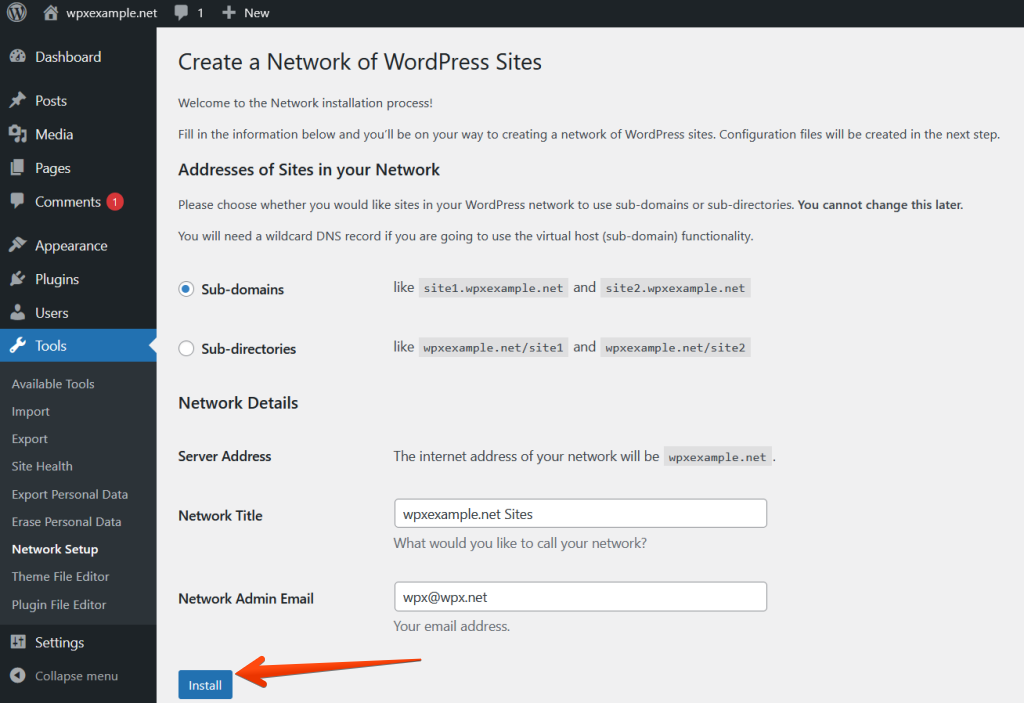
Installing WordPress Multisite
Moving a single site out of a multisite network can be technically challenging and time-consuming. Additionally, not all plugins are fully compatible, and you may have fewer customization options than when running each site separately.
Multisite is powerful, but best suited for tightly connected site ecosystems. It is ideal when managing a network of related sites that share similar functionality, such as franchises, schools, or regional branches.
>>> How can I install WordPress Multisite on my website?
Hosting Platforms & WebOps Solutions
Hosting platforms and WebOps solutions elevate management to the infrastructure level. Instead of focusing on WordPress dashboards, they provide tools to manage environments, deployments, and performance across all your sites.
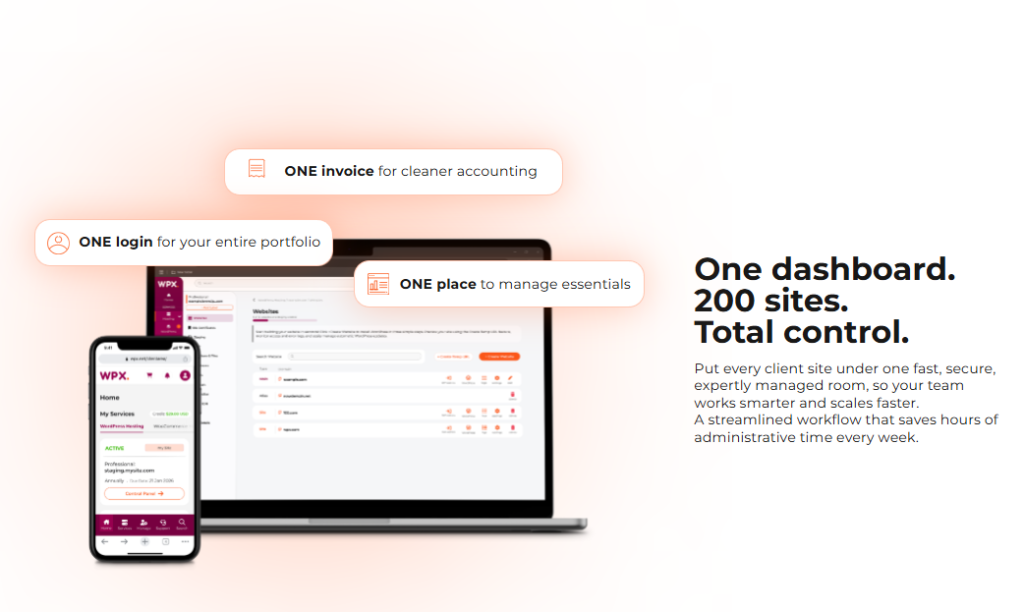
WPX Hosting – Best hosting setup for agencies managing multiple sites
This approach is best for development teams or agencies that prioritize code quality and workflow automation. It helps you manage updates and changes in a more controlled way, which lowers the risk of mistakes during deployment.
Yet, these solutions are less focused on routine administrative tasks such as plugin updates or content management, so additional tools may still be needed for full coverage. They also tend to require more technical expertise, so they’re not as beginner-friendly, but they’re essential for managing complex or high-traffic sites.
Hybrid Approach
A hybrid setup makes sense when you have a large or complex group of sites and no single solution can handle everything effectively.
While it requires more initial setup and coordination, it provides the flexibility and scalability needed to maintain consistency, improve visibility, and reduce long-term operational friction. You can use dashboards for everyday tasks and rely on hosting environments for deployment and testing.
Key Features to Look for in a Multi-Site Management Solution
The way multi-site operations are managed today often falls short. Information is siloed across locations, and juggling multiple systems leads to unnecessary complexity and burnout.
But there’s a better approach. A modern multi-site management solution brings everything together – connecting people, processes, and performance across every location into one unified system. The real challenge lies in choosing the right solution.
That’s where this section comes in. Let’s check through the essential features to look for in a multi-site management platform.
Centralized Dashboard & One-Click Access
With a centralized dashboard, you don’t have to log into each site separately. Instead, you get a single place to monitor performance, updates, users, and issues across all your sites. With one-click access, you can switch between tasks quickly, making your workflow smoother and reducing mistakes.
Bulk Updates & Automation
Bulk updates allow you to apply changes, such as plugin updates, theme patches, or content edits, across several sites simultaneously. Automation should cover regular maintenance tasks such as backups, updates, uptime checks, and reporting.
But there are risks with bulk actions. If an update goes wrong, it could affect all your sites at once. That’s why safeguards like staging environments, rollback options, and update testing are critical.
Backup & Restore Systems
Off-site backups protect your data from server failures, hacks, or accidental deletions by storing copies in secure, external locations. Having backups stored separately is essential for true disaster recovery.
Equally important is one-click restoration – when something goes wrong, you need to recover quickly with minimal downtime. The quality multi-site tools offer automatic backup schedules, version history, and fast restore capabilities, so businesses don’t have to worry about technical details.
Security Monitoring & Alerts
Security monitoring should cover malware detection, uptime tracking, SSL status, and vulnerability scanning. If you have several sites, it’s not practical to check each one by hand. Centralized alerts ensure you’re immediately notified of issues. Real-time notifications help you act quickly before small problems escalate into major breaches or outages.
A good system aggregates all security data into one interface, giving you a clear overview and actionable insights. Staying on top of these issues helps keep your sites safe and builds trust with your users.
Common Challenges (and How to Solve Them)
Managing more WordPress sites from one place can save time, but it also means that a single mistake can affect every site you look after.
What Happens When Bulk Updates Break Multiple Sites
Bulk updates can also create widespread failures when something goes wrong. This usually happens due to plugin conflicts, outdated themes, or compatibility issues with the latest WordPress core version. If you update many sites at once and one plugin has a problem, you might see broken layouts, missing features, or even have sites go offline simultaneously.
The best way to recover from update problems is to have reliable,recent backups for every site. Always trigger automated backups before you run bulk updates, so you can quickly restore any site if needed. A smart workflow also staggers updates – testing changes on a staging or low-risk site first before deploying widely. If failures occur, you isolate the issue, restore from a backup, and selectively reapply updates.
Migration Challenges (Especially with Multisite)
WordPress migrations can be deceptively complex, especially when dealing with multisite setups. Unlike single-site installs, multisite networks share a database and file structure, so it’s much harder to extract or move individual sites without breaking dependencies.
For this reason, multisite is not always the best option for scalability. Yes, it simplifies centralized control, but it reduces flexibility when you need to move or separate sites later. For agencies managing diverse clients, standalone installations are often easier to migrate, clone, and scale independently. Multisite works best when sites are tightly related and unlikely to require separation.
Security Risks of Centralized Dashboards
Centralized dashboards help you manage many sites more efficiently, but they also create a single point of failure. If one dashboard is compromised, attackers could potentially gain access to every connected site. This is why security is a critical concern in any scalable workflow. (especially considering that in Q2 2025, almost 94 million data records were exposed in breaches, affecting millions of people globally.)
To reduce this risk, stronger security practices are essential. Use two-factor authentication, strong password policies, and role-based access controls to limit exposure. Secure API connections and regularly rotate credentials. It’s also important to monitor login activity and isolate permissions so that access to one function doesn’t grant full control.
Choosing the Right Approach for Your Situation
The right approach depends on three things: how many sites you’re managing, how complicated they are, and how much time you want to spend on maintenance. Some setups prioritize simplicity and affordability, while others focus on scalability, automation, and performance.
At a basic level, you’ll need to decide whether to manage sites individually, use centralized management tools, or invest in a high-performance hosting platform that consolidates everything into a single environment. The more sites you manage, the more important it becomes to reduce manual work, ensure consistent performance, and maintain strong security across all properties.
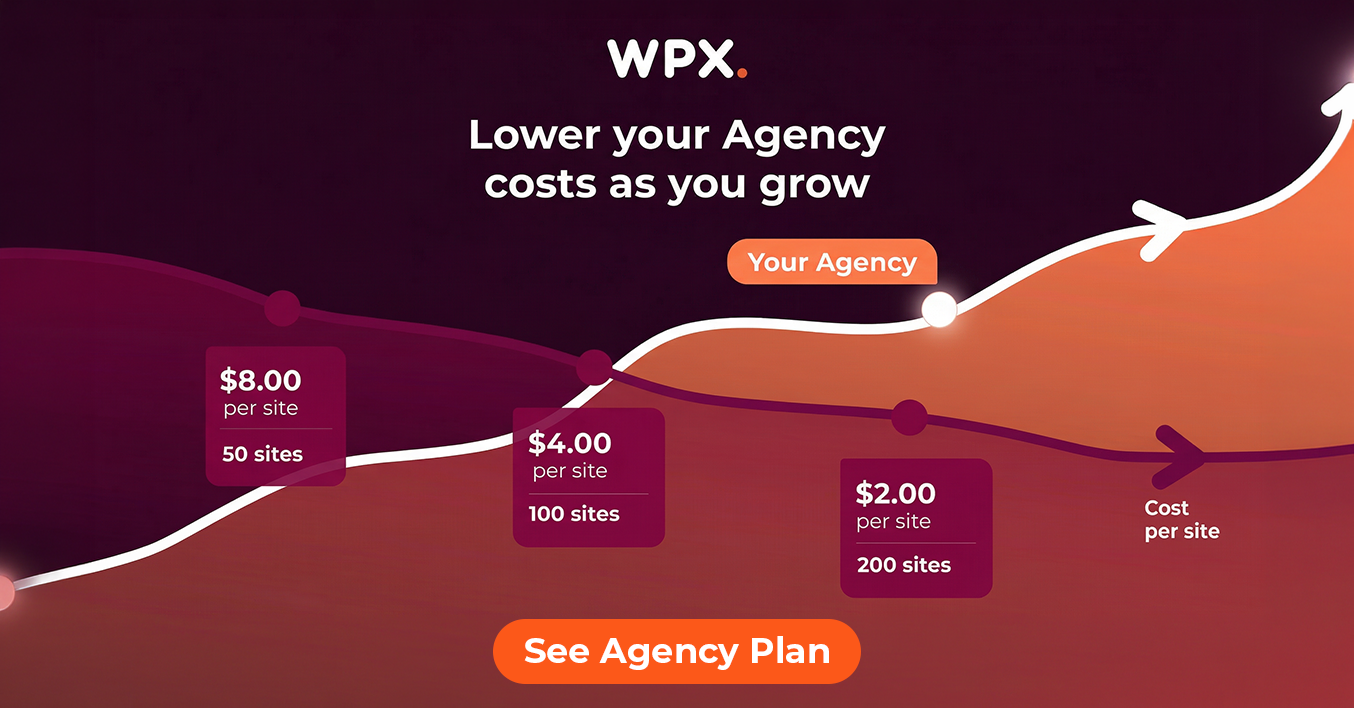
If you’re interested in a straightforward hosting option, WPX Agency Hosting is worth a look. It gives you an integrated system that handles performance, security, backups, and support.
For example, WPX allows you to manage multiple websites under a single account, serving as a centralized dashboard with one-click access to your sites. Routine tasks are simplified through automation, including automatic daily backups, malware scans, and performance optimization via its custom high-speed CDN.
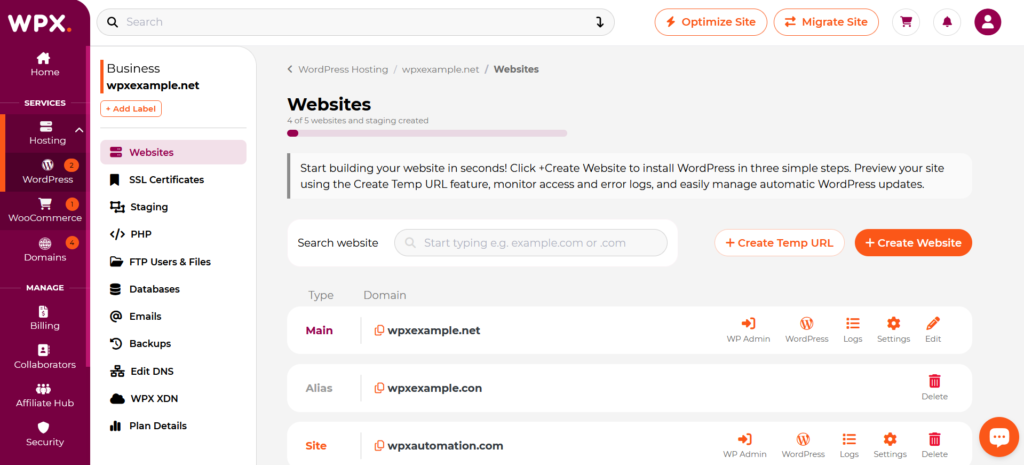
Managing multiple sites on the WPX Hosting control panel
On the security side, WPX includes free SSL certificates, hybrid DDoS protection, and proactive malware removal, helping you monitor and protect all sites without manual intervention. Add in 24/7 expert support, and you get fewer tools to juggle and a smoother experience overall.
Final Thoughts
Optimizing productivity is at the core of efficiently managing multiple WordPress sites. Establishing clear workflows and standard operating procedures is essential for both growth and long-term efficiency. These systems streamline repetitive tasks while also making it easier to scale without sacrificing quality.